To set up the formatting that is applied only when a specific condition is executed, use the Conditional Formatting group of parameters on the side panel.
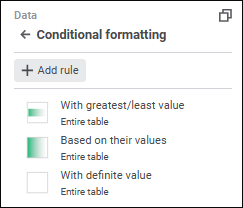
Click the Add Rule button to add a rule. The Formatting Rule panel opens:
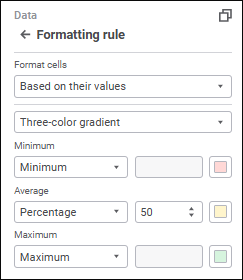
Available cell formatting rules:
See also:
Setting Up the Summary Table Visualizer | Setting Up Table and Its Elements

 Open the Conditional Formatting group of parameters
 Settings button on the