This conditional formatting type is used to format the cells with definite value.
To set up formatting for the cells with definite value, use the Conditional Formatting group of parameters on the side panel.
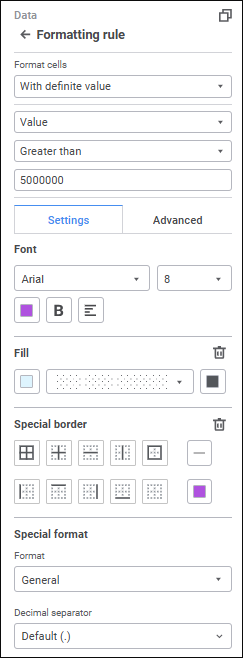
Select the type of formatted values. Settings depend on the selected type:
Value. The cells containing numeric values satisfying the condition are formatted. Set the comparison operator and the compared value.
Text. The cells containing text values satisfying the condition are formatted. Set the comparison operator and the required text.
Date. The cells containing the date satisfying the condition are formatted. Set the required date.
Empty Values. The cells containing empty data are formatted.
Non-Empty Values. The cells containing any data are formatted.
Determine the settings on the Settings tab in the Conditional Formatting group of parameters:
Determine the settings on the Advanced tab in the Conditional formatting group of parameters:
See also:
Setting Up Conditional Formatting

 Open the Conditional Formatting group of parameters
 Settings button on the
  Add Color button. The advanced color palette opens.
 . Left.
 . Center.
 . To the right edge.
 Delete button.