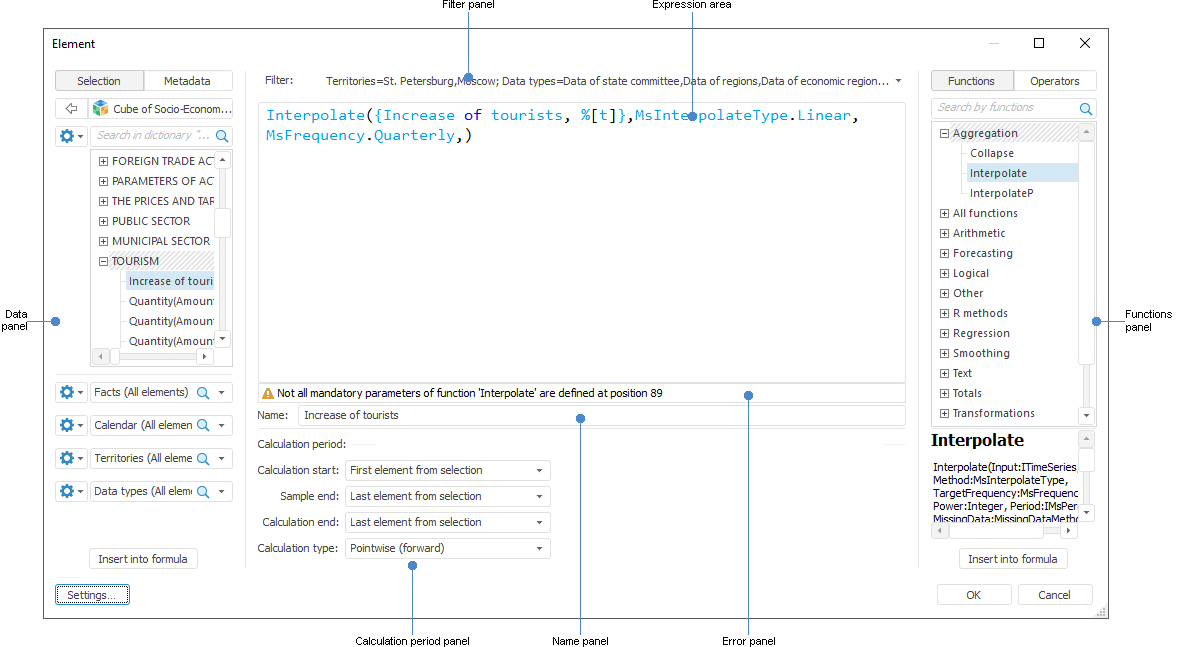
Expression editor for express reports and information panels
Cross functional expression editor can be accessed from various Foresight Analytics Platform tools and is used to create expressions, formulas, conditions.
The expression editor appearance differs depending on the configured object:
In the MDM dictionary wizard: to set a constant binding value in the Binding Parameters dialog box.
In the standard cube wizard: on the pages: Calculated Facts, Manage Parameters, Controlling Dimensions.
In the cube view wizard: on the pages: Manage Parameters, Controlling Dimensions.
In the virtual cube wizard: on the pages: Manage Parameters, Controlling Dimensions.
In the calculated cube wizard: on the pages: Manage Parameters, Controlling Dimensions.
In information panels: for calculated fact.
In calculation algorithms: for setting up calculation formulassetting up calculation formulas.
In tables: for calculated dimension element, data filtering, data sorting taking into account hierarchy, data validation.
In the security manager: for additional access check condition.
In ETL tasks: for calculated fields of data transformers.
In the import wizard: for calculated fields.
Expression editor for express reports and information panels
See also:
Value Editor Parameters | Editing Dimension