
 Create a new business application
To install the extension for the first time, see the Installing Extensions to Repository section.
To get started with a business application, create a new business application or open a ready business application.
Create a new business application
Open ready business application
To build a business application in the web application, see the Building Business Application in the Web Application article.
To build a business application in the desktop application, see the Building Business Application in the Desktop Application article.
TIP. It is recommended to create a business application within one application: either in the web application or in the desktop application.
To work with a ready business application, see the Working with Ready Business Application article.
Business application appearance in the web application depends on installation method of designer of business applications back end.
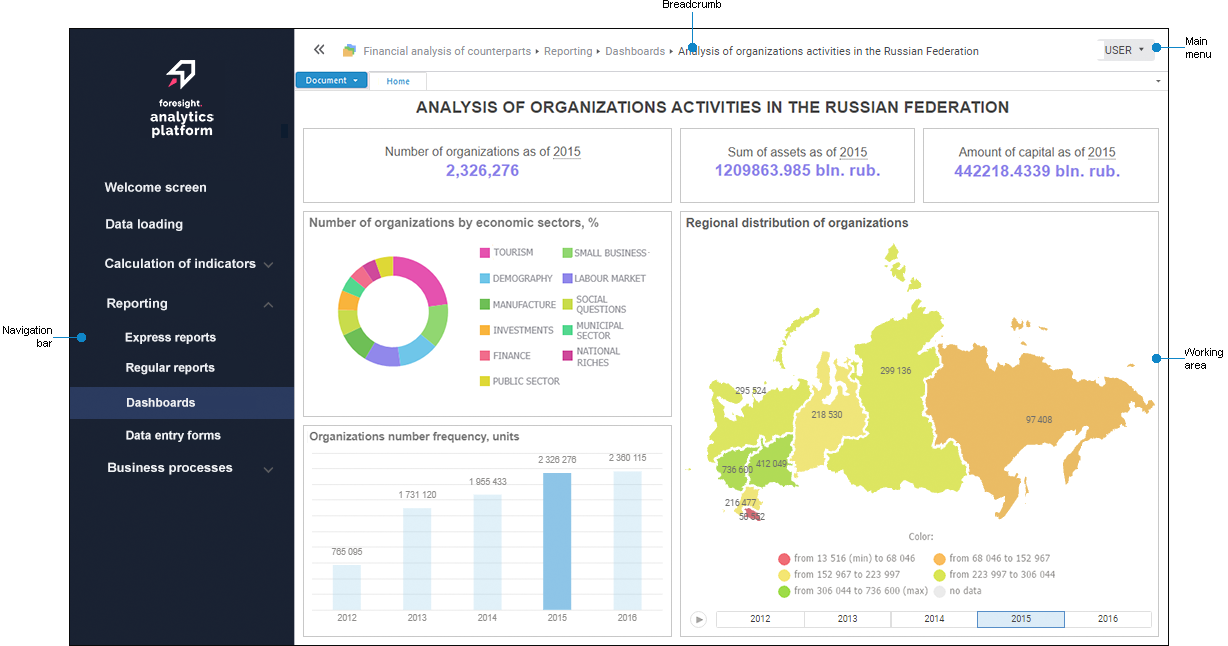
The business application is displayed according to the web application of Foresight Analytics Platform 10.0 or later if the designer of business applications back end is installed automatically on Apache2 web server in Linux OS or manually on IIS in Windows OS:
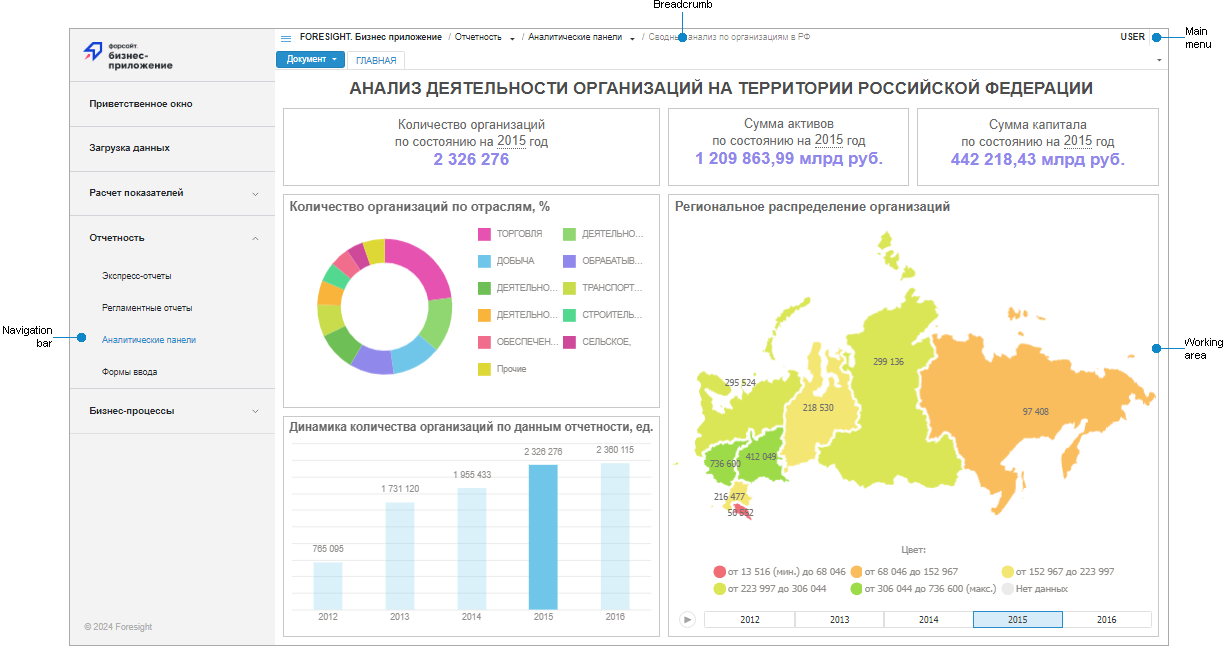
The business application is displayed according to the web application of Foresight Analytics Platform 9.9 or earlier if the designer of business applications back end is installed manually on Apache2 web server in Linux OS, Java in Linux/Windows OS or automatically on IIS in Windows OS:
Features of displaying elements
NOTE. Working with the component is available only in the desktop application.
To get started with the component, create a new component or open a ready component.
A ready component can be opened on a separate tab of the system object navigator and in the component designer.
To work with the component, see the Grouping Functionality Into Components article.
The component designer dialog box has the interface similar to the designer of business applications:
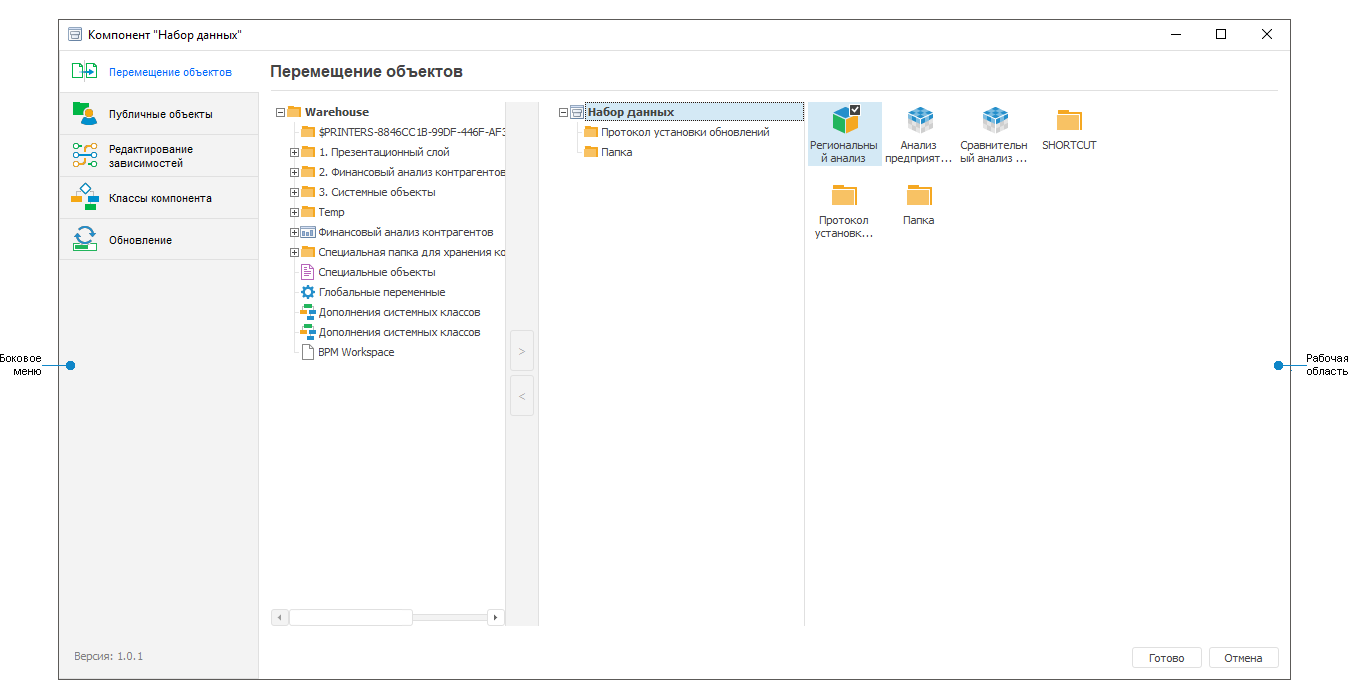
Component designer window elements
The interface of the component opened for view on a separate tab of the system navigator is the same as of the object navigator of Foresight Analytics Platform.
Components and business applications created by users depend on the Designer of Business Applications system component of Foresight Analytics Platform that is required to provide their stable work on updating component versions of Foresight Analytics Platform.
See also:
Building Business Application | Grouping Functionality Into Components
 Create button in the main menu and select the object type on the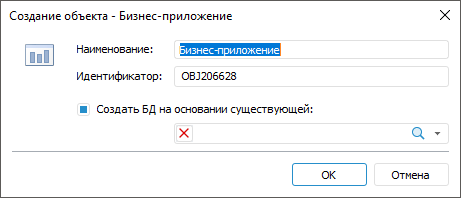
 Edit button in the Open group on the Home ribbon tab.
 Open button in the Open group on the Home ribbon tab.
 Collapse Bar and
  Expand Bar buttons.