Open the Layout group of parameters
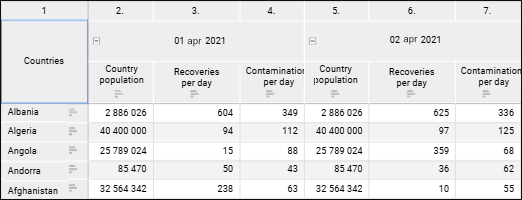
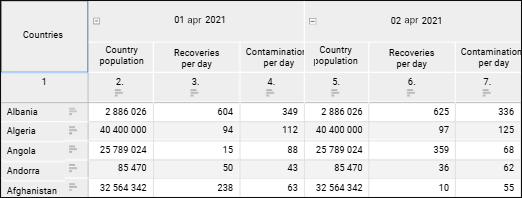
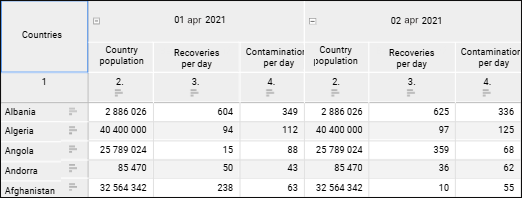
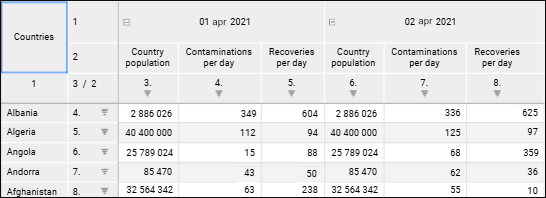
Numbering of rows and columns can be enabled and set up for a table. To enable and set up numbering, use the Layout group of parameters on the side panel.
Open the Layout group of parameters
To enable numbering, select the Use Numbering checkbox. Default numbering or the last configured numbering will be applied. Default settings:
Row numbers will be displayed in a new sidehead column before headers.
Numbering starts from rows containing data.
Continuous numbering is applied.
To set up numbering, click the  Setup button next to the checkbox name. The Set Up Numbering dialog box opens:
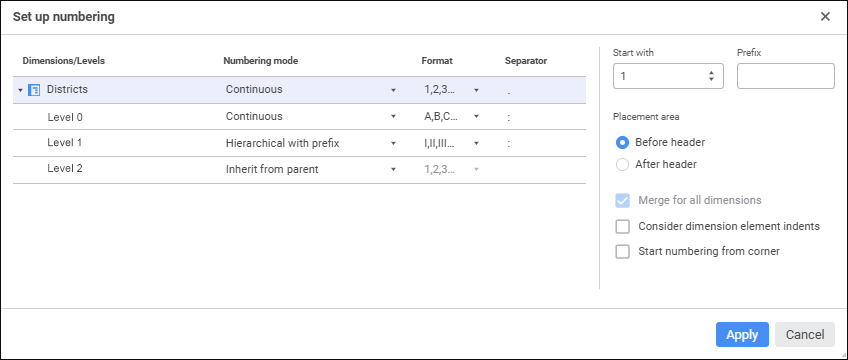
Available settings:
Numbering settings for dimensions and levels
Consider dimension elements indents
See also:
Setting Up Data Visualization | Setting Up the Summary Table Visualizer | Setting Up Layout
 Settings button on the