
 Open the Parameters dialog box
Information panel parameters can be used to dynamically manage data displayed in information panels.
To set up information panel parameters, follow the steps:
Add information panel parameters.
Set up data source parameter management by using information panel parameters or by settings values.
To create a list of parameters, use the Parameters dialog box.
Open the Parameters dialog box
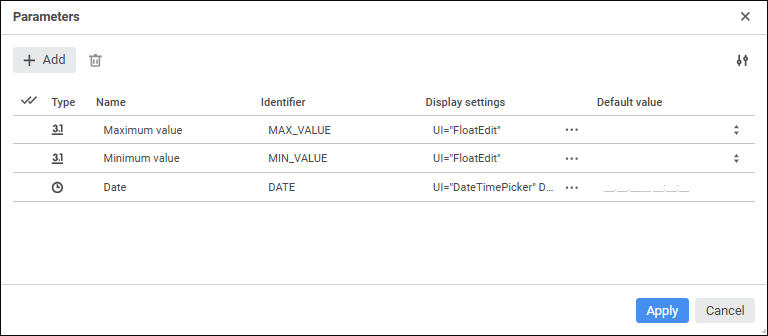
The following operations are available when working with information panel parameters:
To change the number of displayed properties, click the  Settings button and select or deselect checkboxes next to the property names.
See also:
Building Information Panel | Managing Parameters
 Add button. The string will be added to the end of the list of parameters, in which enter properties of the new parameters:
 Set Up Display button: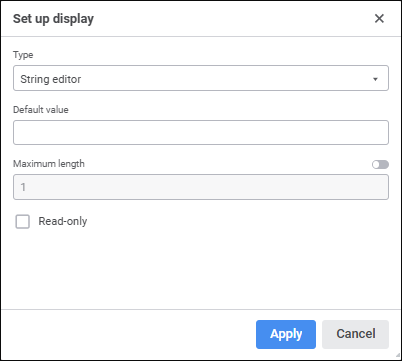
 Delete button. A confirmation dialog box opens.
 Select All button.