In this article:
Updating License in Graphic Mode
Offline License Update
License update is available in Guardant License Wizard in graphic and console modes.
For online license update see the Online License Update section.
Updating License in Graphic Mode
To update the license in the graphic mode:
Select the Offline Update item in the drop-down menu of the
 Actions button.
Execute the operations:
Select the On This license update type.
Click the Save button on the License Update ta to save the license update request file with the *.request extension.
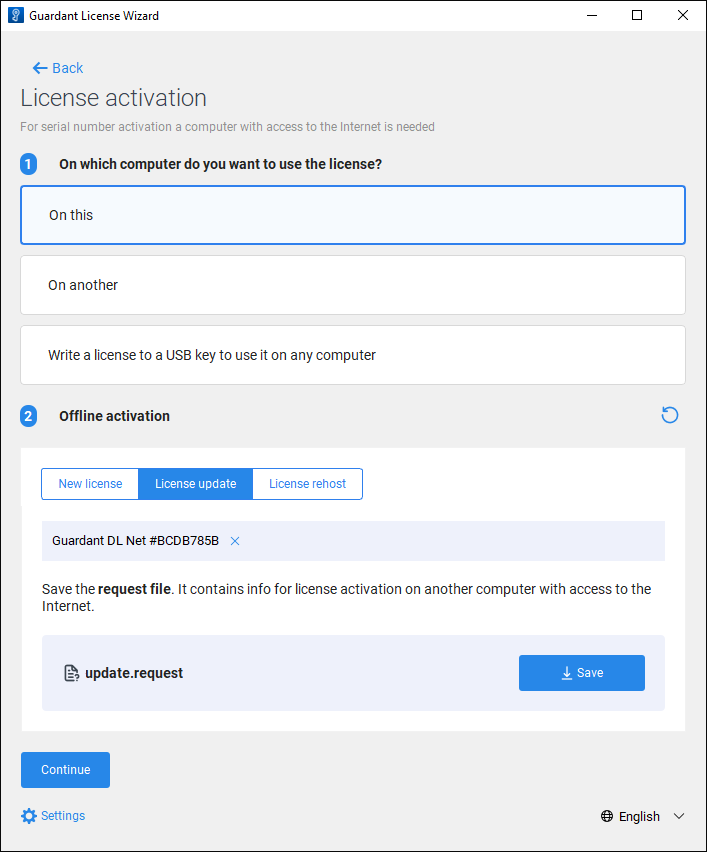
Transfer the *.request license update request file to another computer with access to Internet or contact the technical support by sending request to support@fsight.ru. To generate a license update file on the computer with access to Internet, see the Generating Update File on Computer with Access to Internet subsection.
Get the *.license update license file and execute the operations:
Click the Continue button.
Click the Continue, I have the License File button.
Click the Select a File button and upload the obtained *.license license update file.
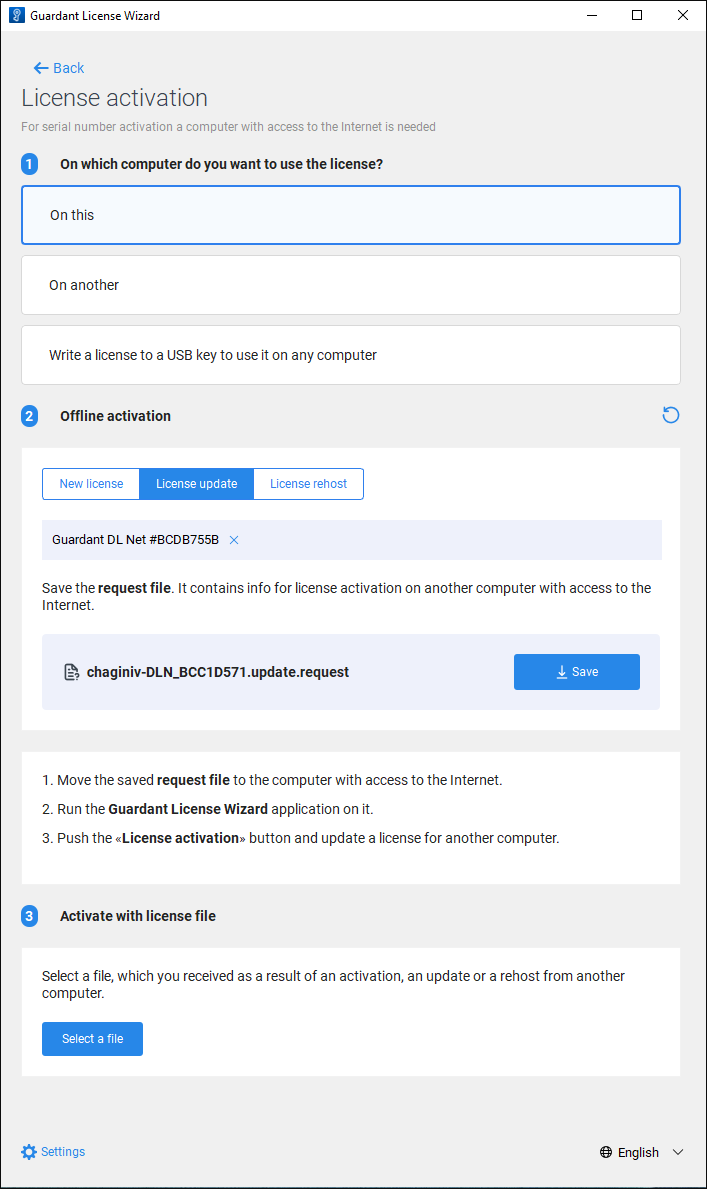
After executing the operations the license is updated.
To apply changes:
Restart the licensing service:
Restart the licman.service service:
sudo systemctl restart licman.service
Restart the licman_guardant.exe utility located in the C:\Licman folder.
Update the list of licenses in Guardant Control Center.
Generating Update File on Computer with Access to Internet
To generate an update file on a computer with access to Internet:
Get the *.request license update file.
Open Guardant License Wizard:
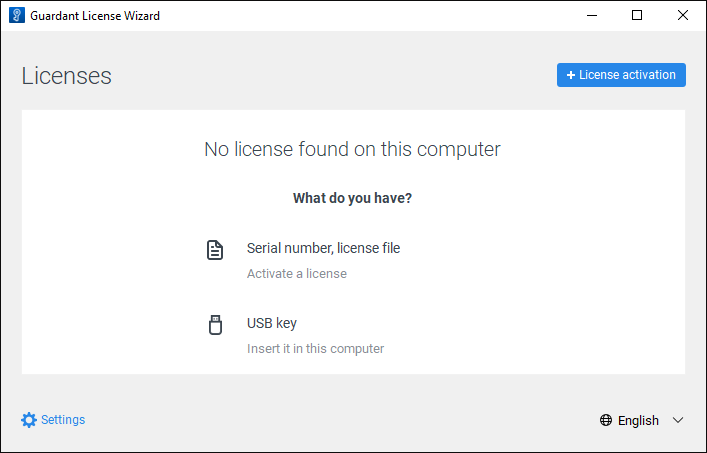
Click the
 License Activation button.
Make sure that the current computer has access to the Internet and execute the operations:
Select the On Another license activation type.
Click the Continue button.
Click the Select a File button and upload the *.request license update request file.
Click the Update This License button.
Click the Save button to save the *.license license update file.
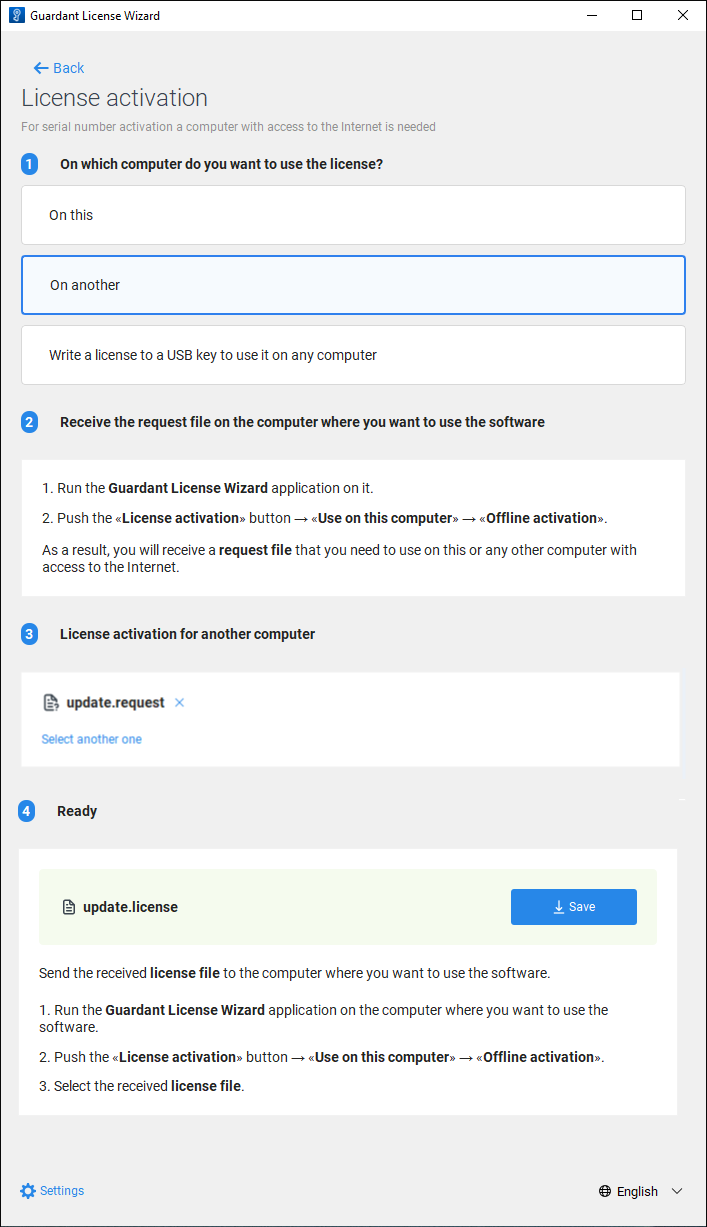
After executing the operations the *.license license update file is saved. Transfer the generated file to the computer, on which the license update request file was saved, and update the license using the file.
Updating License in Console Mode
To update the license in the console mode:
Get the list of licenses:
./license_wizard --console --list
license_wizard.exe --console --list
Copy the license identifier located after the # character. For example, the obtained string "Guardant DL Net #C852BDAD" contains the license identifier C852BDAD.
Create a license update request file with the *.request extension:
./license_wizard --console --update-request <license identifier> <path to request file>
license_wizard.exe --console --update-request <license identifier> <path to request file>
In the substitutions:
<license identifier>. Specify the license identifier obtained using the list command.
<path to request file>. Specify the full path to the folder, in which the *.request license update file will be saved, and set file name.
Transfer the *.request license update request file to another computer with access to Internet or contact the technical support by sending request to support@fsight.ru.
On the computer with access to Internet generate a license update file with the *.license extension:
./license_wizard --console --update-response <path to request file> <path to update file> --host https://guardantstation.fsight.ru:9000/
license_wizard.exe --console --update-response <path to request file> <path to update file> --host https://guardantstation.fsight.ru:9000/
In the substitutions:
<path to request file>. Specify the full path to the *.request license update request file.
<path to update file>. Specify the full path to the folder, in which the *.license license update file will be saved, and set file name.
After executing the command the *.license license update file is saved. Transfer the generated file to the computer, on which the license update request file was saved.
Get the obtained *.license license update file and execute the command:
./license_wizard --console --update-offline <path to update file>
license_wizard.exe --console --update-offline <path to update file>
In the <path to update file> substitution specify the full path to the obtained *.license license file.
Restart the licensing service:
Restart the licman.service service:
sudo systemctl restart licman.service
Restart the licman_guardant.exe utility located in the C:\Licman folder.
After executing the operations the license is updated.