Online License Activation
A license can be activated in Guardant License Wizard in graphic or console modes.
For offline license activation see the Offline License Activation section.
Activating License in Graphic Mode
To activate a license in the graphic mode:
Open Guardant License Wizard:
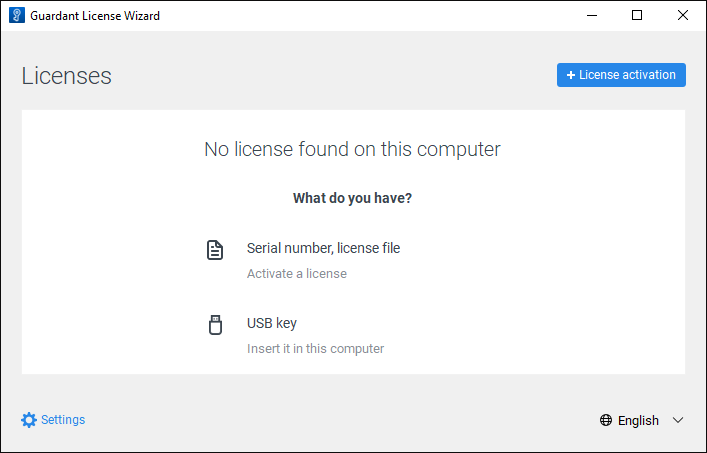
Click the
 Settings button and enter activation service URL in the License Server Address box:
https://guardantstation.fsight.ru:9000/
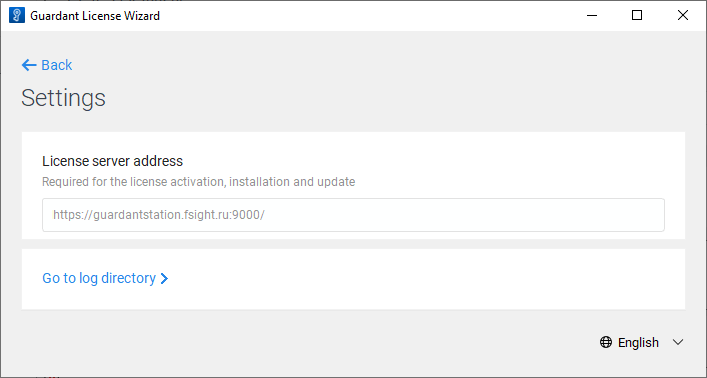
If required, click the Go to Log Directory button to view debug info of Guardant License Wizard, which is recorded to the license_wizard.log file in Linux OS or to the license_wizard.txt file in Windows OS.
Go back to the wizard home page and click the
 License Activation button.
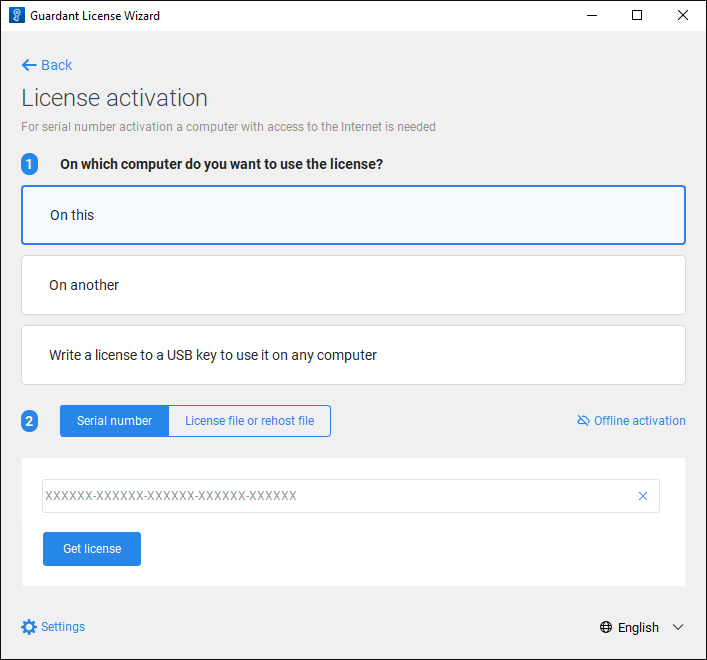
Make sure that the current computer has access to the Internet and execute the operations:
Select the On This license activation type.
Enter license serial number.
Click the Get License button.
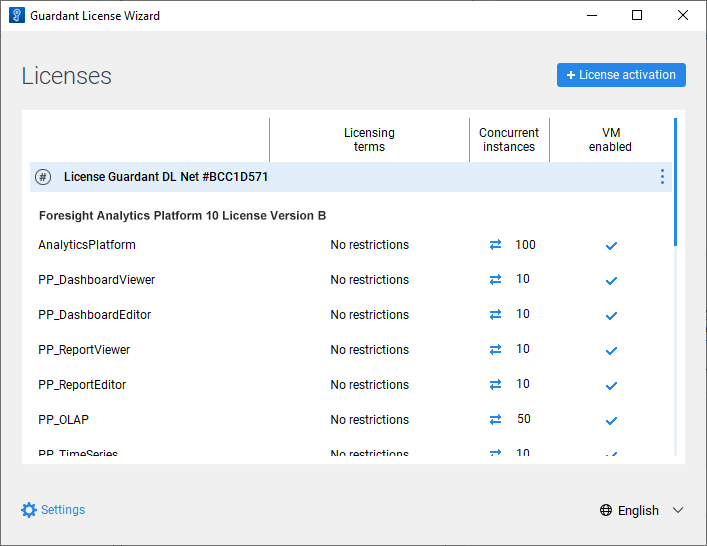
After executing the operations the license is activated online in the graphic mode of Guardant License Wizard and is available in Guardant Control Center:
Activating License in Console Mode
To activate a license in the console mode, execute the command:
./license_wizard --console --activate <serial number> --host https://guardantstation.fsight.ru:9000/
license_wizard.exe --console --activate <serial number> --host https://guardantstation.fsight.ru:9000/
In the <serial number> substitution specify the obtained license serial number.