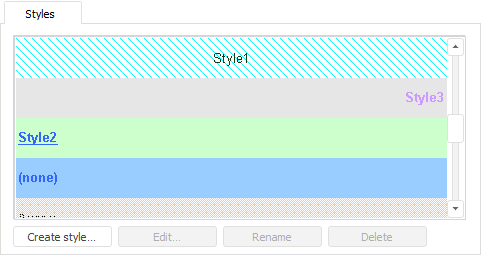
The Styles tab is used to select a style to be applied to formatted cells:
The tab displays a list of styles contained in the internal (local) and external (plug-in) styles tables. The plug-in table styles are marked with the  icon and are unavailable for editing.
The following buttons are used to manage styles:
Create Style. Clicking the button opens the Create Style dialog box, where one can determine the name of created style.
Edit. Clicking the button opens the Formatting dialog box containing the following tabs:
Rename. Clicking the button opens the Rename Style dialog box where the current style name can be changed.
Delete. Deletes selected style from the list. The command is unavailable for external styles.
See also:
Working with Formatting Dialog Box