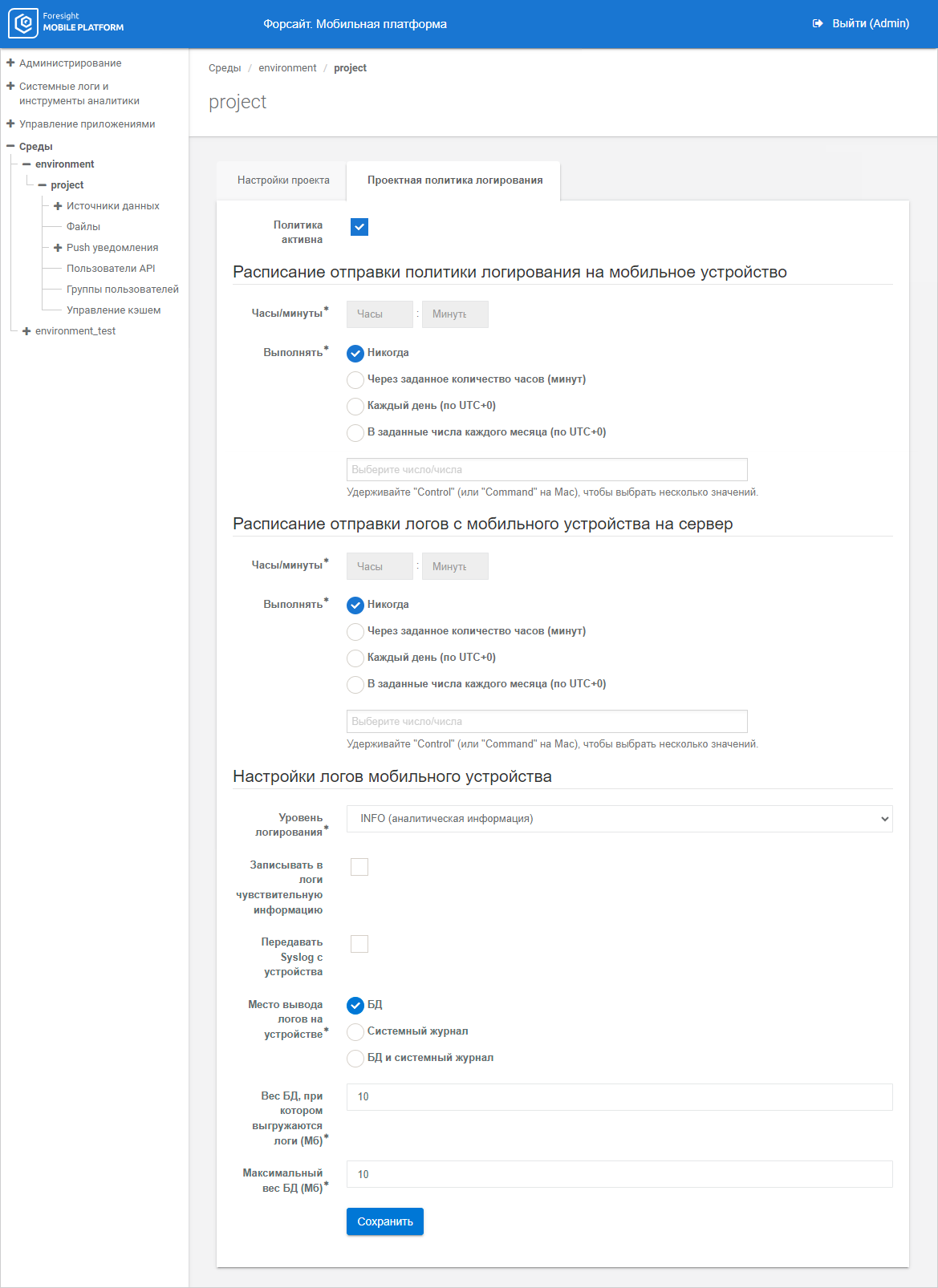
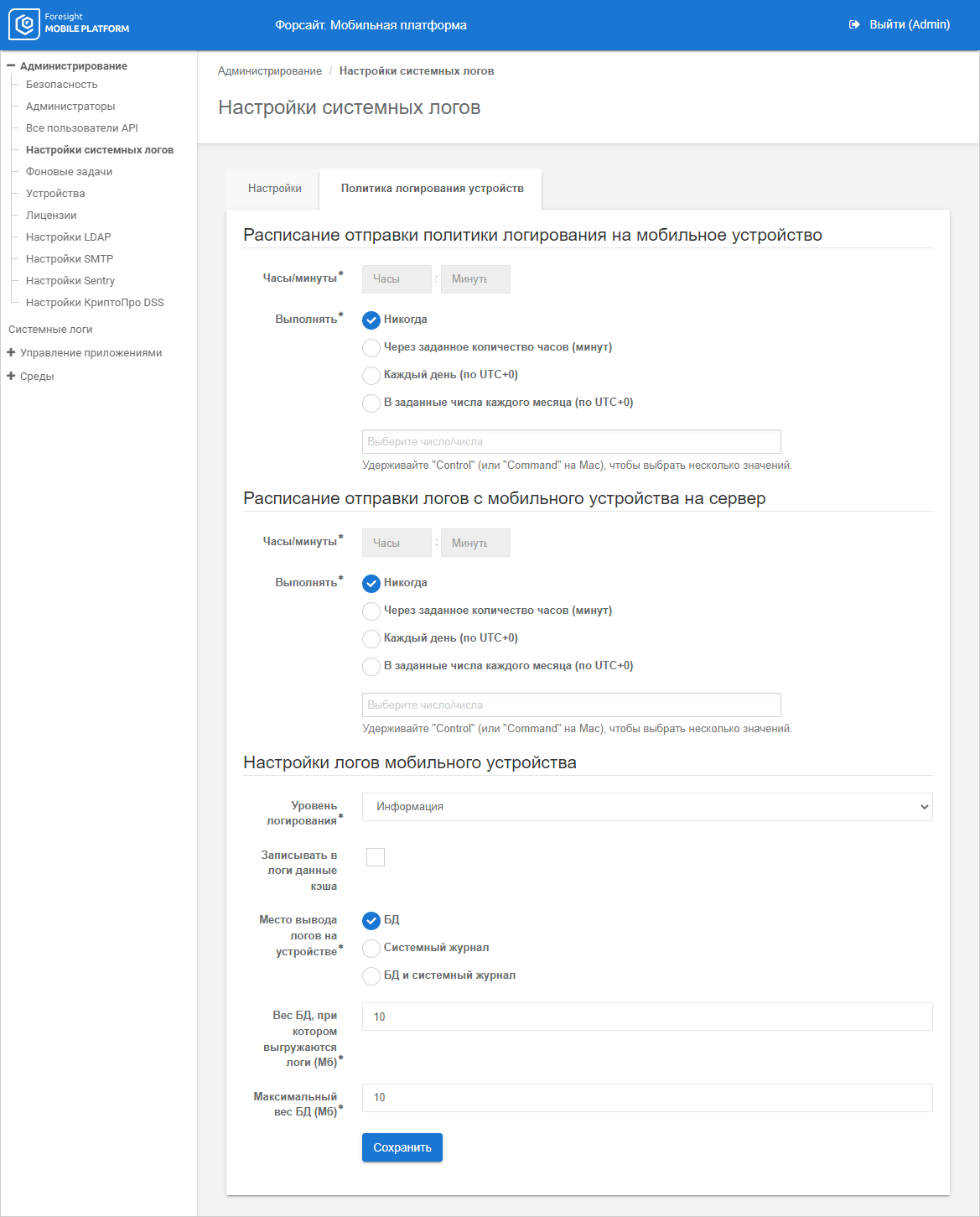
Device logging policy controls writing of logs created on a mobile device during API users work, in the System Logs subsection.
Logging policy types:
Project. Logging policy parameters are set up for a specific project on the Project Logging Policy tab. If the Policy is Active checkbox is selected, the specified project logging policy parameters are applied for this project. If the checkbox is deselected, global logging policy parameters specified on the Global Logging Policy tab in the System Logs Settings subsection are applied for the project.
Global. Logging policy parameters are set up for all projects on the Global Logging Policy tab in the System Logs Settings subsection. Global logging policy parameters are applied for a project if the Policy is Active checkbox is selected on the Global Logging Policy tab, and the Policy is Active checkbox is deselected on the Project Logging Policy tab of the specific project. If both checkboxes are deselected, logs of the mobile device linked with this project are not written in the System Logs subsection.
 Enable configured logging policy
Set up schedule of sending logging policy to mobile device
Set up schedule for sending logs from mobile device to server
To view system logs, use the System Logs subsection in the System Logs and Analytics Tools section.
If required, set the number of log storage days on mobile platform server and add data source logging rules.
See also:
Viewing and Setting Up System Logs | Setting Up Log Storage Parameters | Logging Data Source Requests
