When working with data sources on mobile platform server, one can executed advanced logging of the following requests:
/api/v1/rpc/{<resource name>}/.
/api/<v1 or v2>/web/{<resource name>}/.
/api/v1/json/{<resource name>}/.
It is recommended to set up advanced logging:
If the API user gets incorrect or incomplete data during resource request.
If the API user does not get data during resource request.
If resource request results in an error.
To execute advanced logging of data source requests, one should use the rules that determine debug info output on requesting the specified resource by a specific API user. Activation of rules initiates logging of events of the types: RPC API Request, Web Service Request, JSON Resource Request with the Debug status in the System Logs subsection. Add, edit, and delete rules events are also logged.
IMPORTANT. When rules are activated, the request processing time increases and server resource consumption increases: the amount of central processing unit (CPU), virtual memory (RAM) and hard disk resource consumption increases.
The following is recommended to reduce the server load:
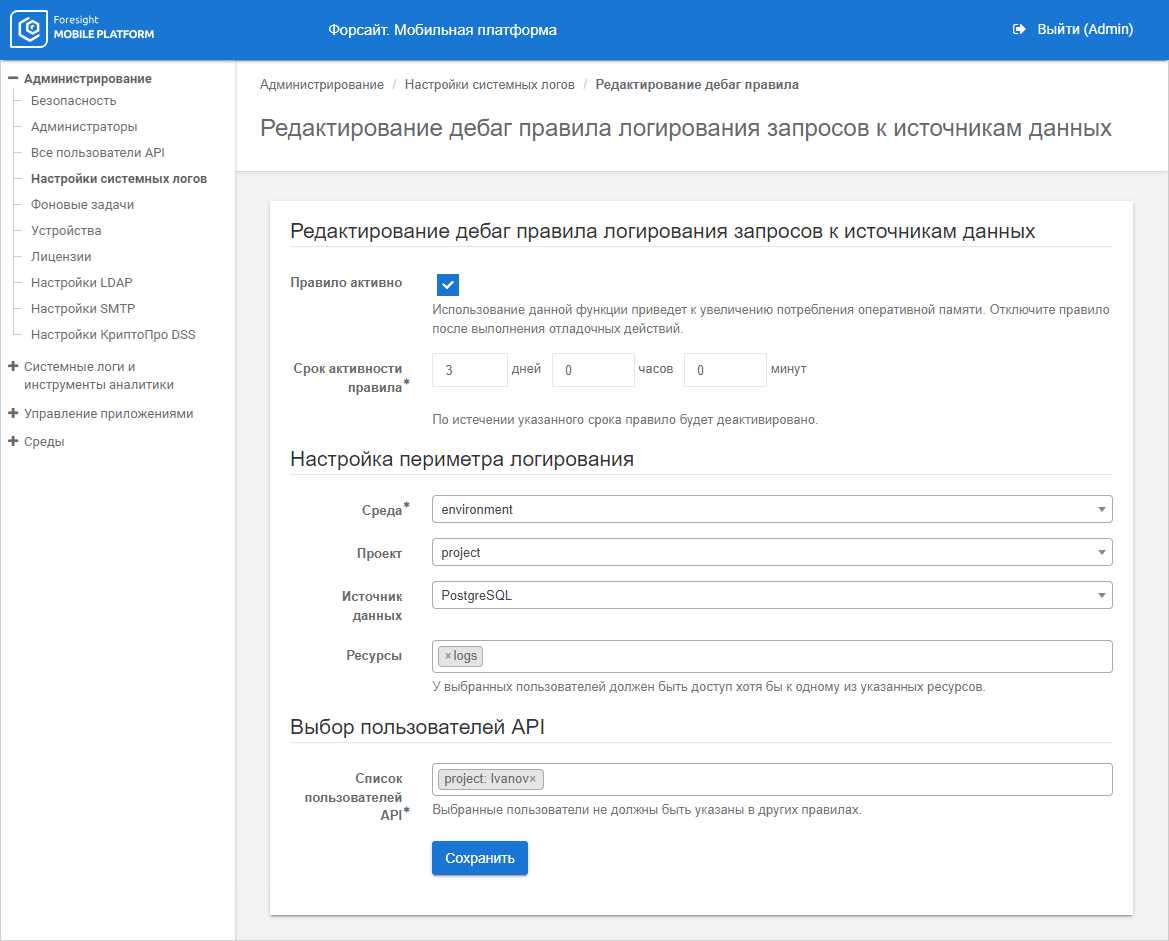
Deselect the Rule is Active checkbox manually if debugging operations are finished before rule activity time is out.
Set minimum rule activity time in the Rule Activity Time parameter.
Select the minimum number of resources in the Resources parameter.
Select the minimum number of API users in the API Users List parameter.
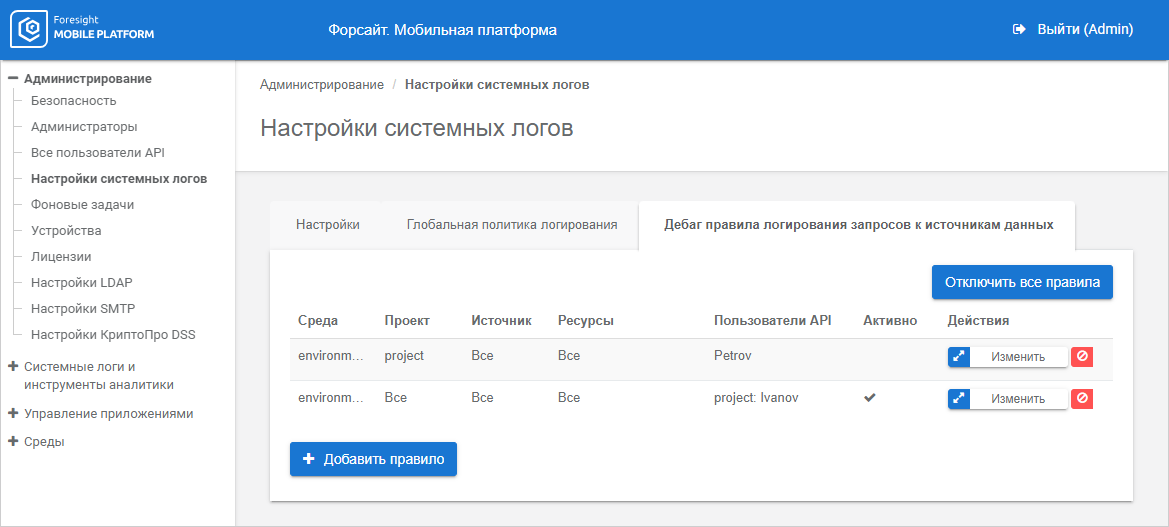
To add and set up data source request logging rules, use the Data Source Request Logging Debug Rules tab in the System Logs Settings subsection:
The working area displays the list of logging rules. To view the rules list, the administrator should only have the Read-Only privilege for the Access to the Administration Section access option.
If a project is not selected in the Project parameter in the rule, each user in the API Users column is displayed in the format: <project name>: <user name>.
See also:
Viewing and Setting Up System Logs | Setting Up Log Storage Parameters | Setting Up Device Logging Policy Parameters

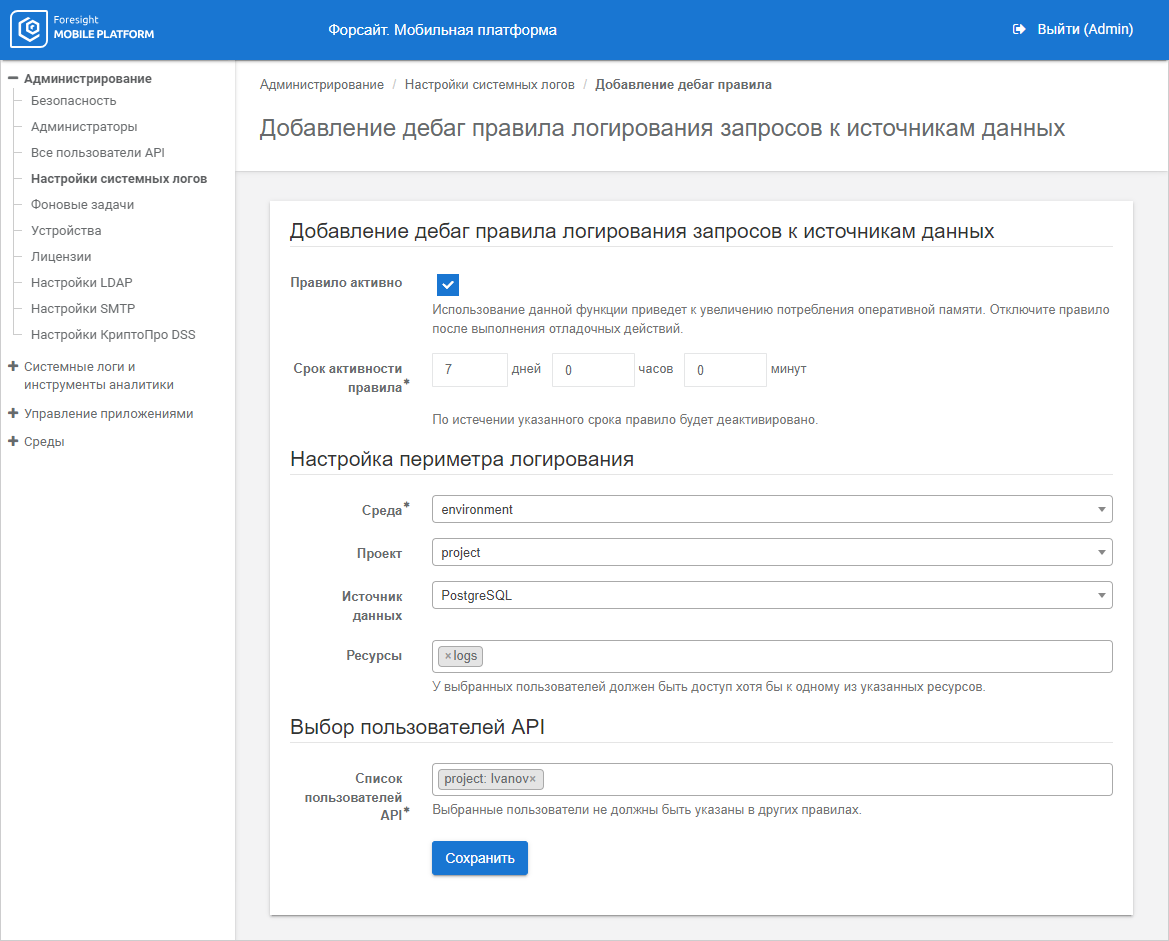
 Add a rule