To explain data in a table cells, one can use comments.
To add comments:
Make sure that:
The data source is a cube, in which settings the Store Comments for Data checkbox is selected.
The user has permissions to view and edit.
Select the cell in the table data area, which does not show values of calculated elements or totals, and:
Select the Add Comment item in the cell's context menu.
Press SHIFT+F2.
Use the Comments panel.
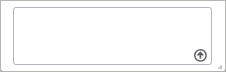
Enter a comment in the comment box:
Maximum length of a comment is 4000 characters.
Save the comment by clicking the  Send button.
Adding comments is available for table cells built on the same cube. The added comments will be available for all tables, which contain cells with the ability to add comments.
If several cubes that support adding of comments are used in the report as table sources, adding comments for cells will be available in the tables built on the first added cube.
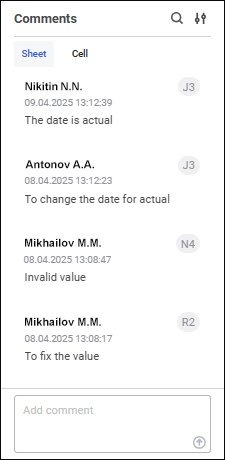
The tab contains all comments added for table cells on a sheet.
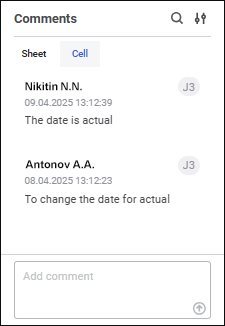
The tab contains all comments added for this cell.
The following is specified for each comment:
User. Full name of the user who created a comment. If full name is not set, user name is displayed.
Cell address.
Comment creation date and time.
Comment text.
One can add the unlimited number of comments.
After a comment is added, the cell is marked with a colored triangle at the top right corner. The list of added comment is displayed on mouseover on the triangle.
To delete comments:
Select the cell with comments, select the comment and click the  Delete button.
Select the comment on the Comment panel and click the Delete button.
The following operations are available on the comments panel:
Operations with comments do not affect the activity of the  Save Data button.
See also:
Working with Ready Data Entry Form

 To open the panel
 Comments button on the control panel.
 Search button.
 Display Settings button.