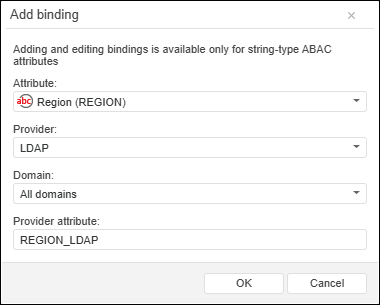
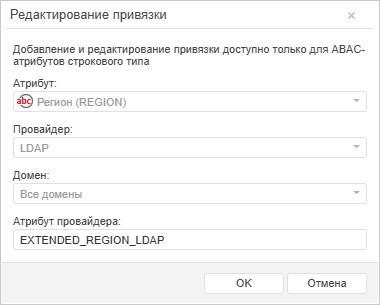
To open the dialog box
User attributes can be bound with provider attributes when the attribute-based access control method is used to determine access permissions for temporary users who are not in the security manager:
When a domain authentication is used, if the current domain directory service is based on Active Directory.
When authentication via external services is used.
For example, the user is authenticated in the external service and is authorized in Foresight Analytics Platform, a temporary user is created in the security manager and is added to groups from the list of attribute specified in userinfo. If the attribute is not set, the temporary user is added to the USERS built-in group. After this, user attributes values are filled in according to configured provider attribute bindings. When a repository object is being opened, the set of attribute-based access control policies, in which user attributes are used, is checked. If the specified conditions are satisfied, the user is allowed access to the object.
Setting up of bindings between user attributes and provider attributes is available for the users with the Changing User Permissions, Distributing Roles, Changing Policy and the Security Policy Auditing privileges.
To set up bindings between user attributes and provider attributes, use the Provider Attribute Binding dialog box.
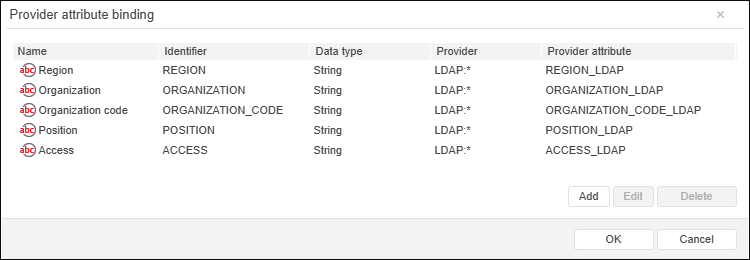
The dialog box displays the list of added bindings between user attributes and provider attributes.
NOTE. Adding of binding is available only for string attributes.
There are the following features of sending provider attribute values during user authorization:
User attributes, for which binding with provider attributes is not set up, or for which bound provider attributes are not found during authorization, are used with default values.
Provider attribute values are converted into string data type and in upper case.
Multiple provider attribute values are sent as an array.
The obtained provider attribute values are not saved in database and available only within the user session.
The debug info displays the following information:
Messages about getting provider attribute values - in the EXTSRV category.
Messages about successfully filled attributes or absence of bound provider attributes - in the SECURITY category.
To work with attribute values, use the ISecuritySubject.Attributes property.
See also:
Setting Up Attribute-Based Access Control Method | Creating Custom Attributes
 Attributes button in the