 Finish Task and
  Reject Task item on the Home tab on the toolbar. The buttons are displayed only in the report opened for view and are available if there are active steps on the current active sheet for the user.
To execute process data entry or approval steps, use the Finish Task and Reject Task item on the Home tab on the toolbar. The buttons are displayed only in the report opened for view and are available if there are active steps on the current active sheet for the user.
NOTE. Work with business processes is available only if the Business Process Management extension is installed.
 Recommendations for business process work in report
To finish or approve an active process step:
Click the Reject button.
A confirmation dialog box opens:
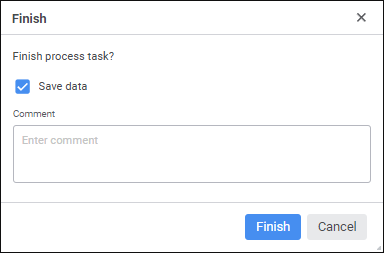
If required, determine the following settings in the dialog box:
Save Data. Determine settings of saving changed data on finishing/approving a step. The checkbox is selected by default and data is saved. The checkbox is displayed only if the report contains unsaved data.
Comment. Enter the comment for step finishing/approval.
Click the Finish button.
As a result, the active step will be finished/approved.
To reject the finished process step and roll back to the previous one:
Click the Reject Task button. A confirmation dialog box opens:
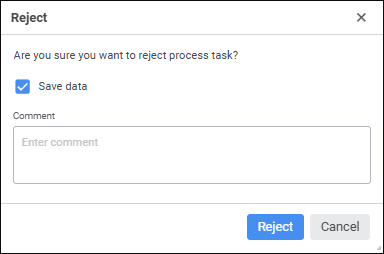
If required, determine the following settings in the dialog box:
Save Data. Determine settings of saving changed data on step rejection. The checkbox is selected by default and data is saved. The checkbox is displayed if the report contains unsaved data.
Comment. Enter a step rejection comment.
Click the Reject button.
As a result, the finished process step will be rejected.
See also:
