
 Create a calculated dictionary
Dictionary structure is set similarly to that of a table dictionary. A dictionary is filled with elements based on the user algorithm. An algorithm is set as a Fore unit. A unit should include a procedure with the following signature:
Sub <Name>(UserDim: IUserDimension; Builder: IDimBuilder; Params: IMetabaseObjectParamValues);
Begin
//Code for building of elements tree of calculated dictionary
End Sub <Name>;
A procedure and parameters can have any names satisfying the Fore language specification.
A unit is executed each time a dictionary is used. However, due to object caching in the platform this operation is automatically executed only if the unit is not available in cache, or when executing the Update operation. Generally, a calculated dictionary does not require a table to store its elements. Unit definition may include any repository objects, including data tables.
A calculated dictionary can be dynamically changed via parameters, that is, this is a dynamic dictionary.
Create a calculated dictionary
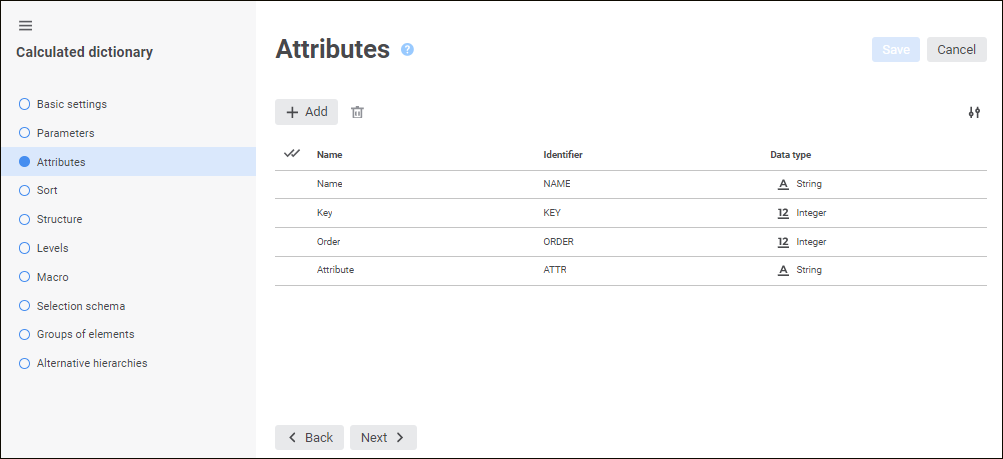
The wizard contains the pages:
Basic Settings. The page is used to set object name, identifier and comment.
Parameters. The page is used to create a list of parameters.
Attributes. The page is used to create a list of attributes that describe each dictionary element.
Sorting. The page is used to determine dictionary attributes and the order, by which dictionary elements will be sorted.
Structure. The page is used to create dictionary structure using general and recursive blocks.
Levels. The page is used to create a list of levels that will be used to set up data aggregation.
Macro. The page is used to specify a unit containing a custom procedure that will be used to create a tree of dictionary elements.
Selection Schemas. Selection schemas are set for automatic selection of dictionary elements by specified rules. Going to the page is available after saving dictionary settings.
Groups of Elements. Groups of elements are determined to limit the number of available dictionary elements. Going to the page is available after saving dictionary settings.
Alternative Hierarchies. The page is used to set links to map source and alternative dictionary elements. Going to the page is available after saving dictionary settings.
Manage Parameters. The page is used to set up parameters of nested objects related to the dictionary.
To save settings in the dictionary wizard:
Click the Save button.
Select the Save and Close item in the drop-down menu of the Save button. After this the specified settings are saved, the wizard closes, and the object navigator opens.
NOTE. The Save and Close item is available only on editing the settings.
See also:
Creating Dictionaries | Table Dictionary | Calendar Dictionary
 Create button in the main menu and select the object type on the