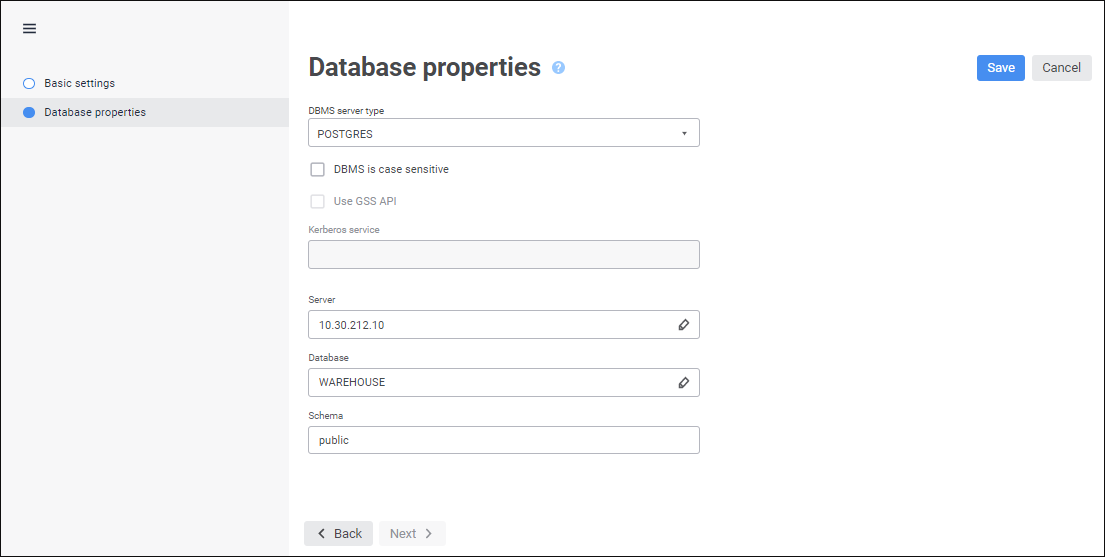
The Database Properties page is used to specify the type of database management system (DBMS) installed on the server and additional connection parameters:
Set the parameters:
 Use Unicode encoding for data representation
Use lazy loading of descriptors
To finish the wizard:
Click the Save button and then click the Cancel button.
Select the Save and Close item in the drop-down menu of the Save button. After the command is executed, the specified settings are saved, the repository connection wizard closes, and the object navigator opens.
NOTE. The Save and Close item is available in the repository connection wizard only on editing the settings.
As a result, the Repository Connection repository object is created.
See also:
Connecting to Another Repository
