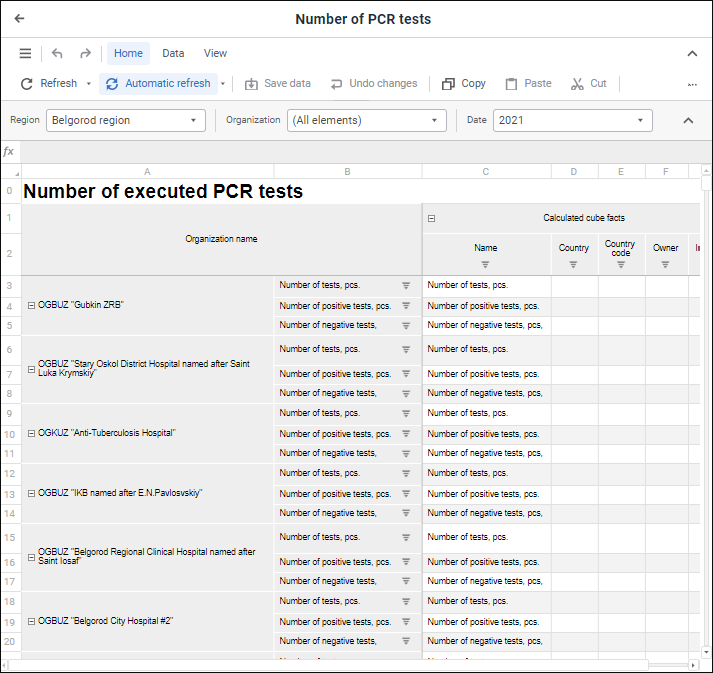
To build data entry, control, and approval forms, use the Interactive Data Entry Forms extension:
The Interactive Data Entry Forms extension is used to create forms for manual data entry, control, and calculation of indicators.
Key features:
Create interactive multisheet data entry forms: table-based, registry-based, cards, combined.
Flexible form structure and formatting: heading and sidehead, automatic editors, entry masks, filtering, formatting, print preview, navigation between forms.
Use calculation and data control formulas.
Parametrization: dynamic control of contents, setting up links and dimension synchronization, filtering of parameters by attributes.
Data entry and approval.
Functionality enhancement: creating custom buttons, connecting Fore functions.
Export to various formats saving formatting and print options.
To work with the Interactive Data Entry Forms extension, one needs the following features:
To built and edit data entry forms - PP_ReportEditor.
To view ready data entry forms in interactive mode - PP_ReportViewer.
To get started with the tool, see the Getting Started with the Interactive Data Entry Forms Extension article.
To create a data entry form, see the Building Data Entry Form article.
To work with a ready data entry form, see the Working with Ready Data Entry Form article.
If you still have questions, see the Questions and Answers article.
See also:
Getting Started with the Interactive Data Entry Forms Extension | Questions and Answers