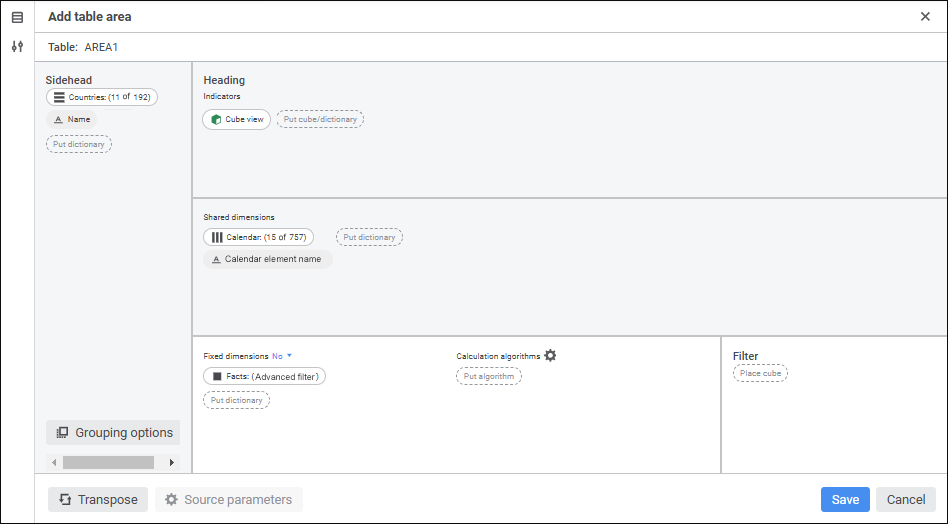
Create a table area
To make working with data easier in data entry forms opened for view or edit during step execution in the process monitoring, one can use data highlighting.
When data highlighting is used in a data entry form:
Dimension selection of data entry form's table area should include segment dimension selection.
Advanced filter in sidehead and heading dimensions does not affect data highlighting.
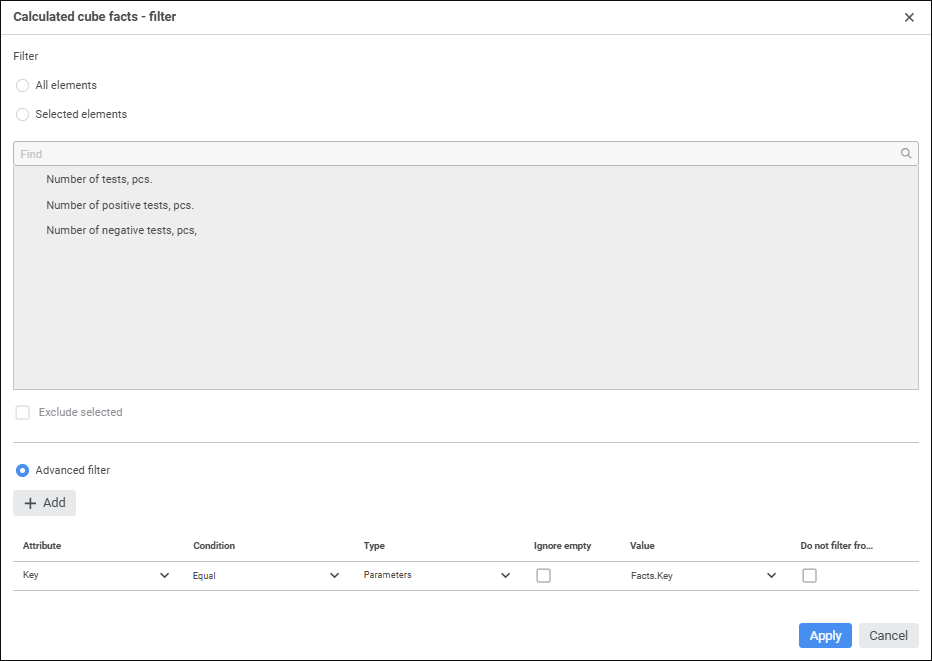
If a data entry form is based on a cube view, fixed dimensions do not affect data highlighting.
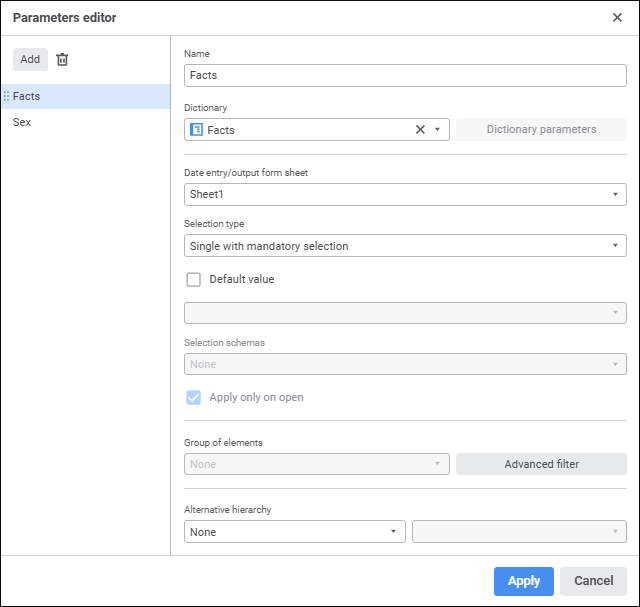
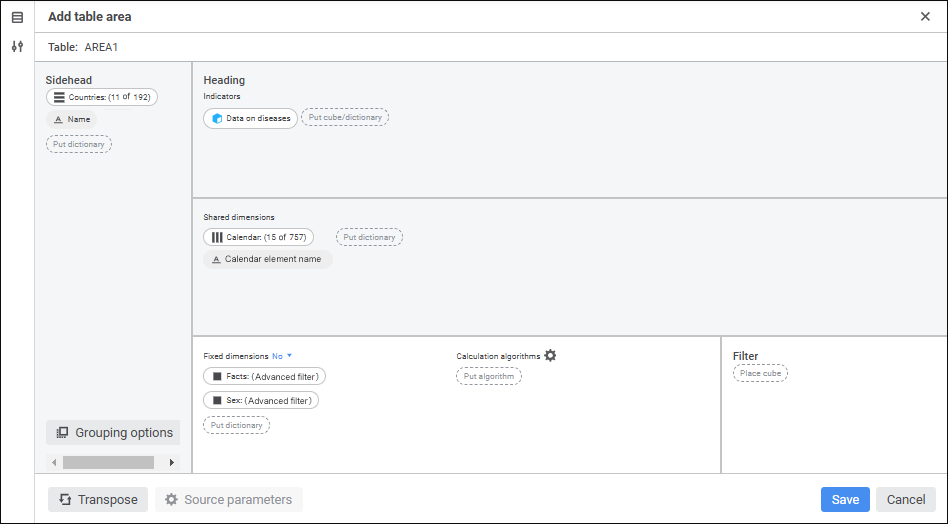
Consider data highlighting setup in the example of the process with the Data Entry/Approval step. The step's data entry form contains a table area based on the standard cube Data on Diseases containing four dimensions: Calendar, Countries, Sex, and Facts. The data entry form and the process are linked by the Facts and Sex parameters.
NOTE. Links with data entry form parameters are set for process parameters.
To highlight data entry form data in the process monitoring mode, execute one of the operations:
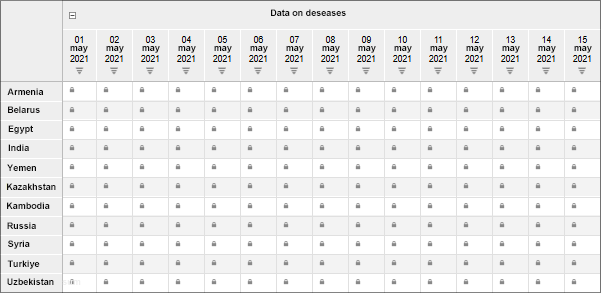
Using cube segment allow the user access to data for the Russia element in the Countries dimension from May 1 to May 15 of 2021 by selecting corresponding elements in the Calendar dimension:
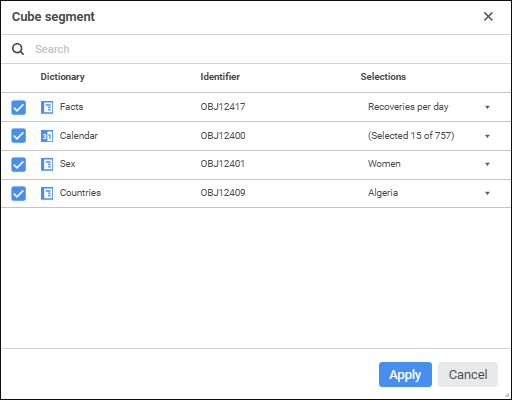
NOTE. For the user who is responsible for step execution assign corresponding segment access permissions.
Set up links between segment dimensions and process parameters for the step containing this data entry form:
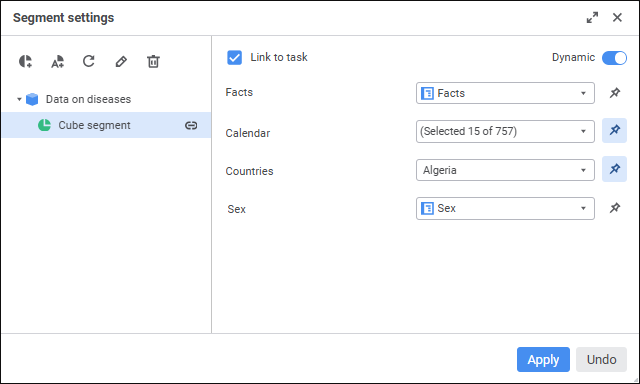
NOTE. After the link between the dimension and the segment is set up, dimension selection will depend on the values of corresponding parameters that determine process instance. Therefore at the same segment settings, a slice will be highlighted for one instance and not highlighted for other instance.
When a step is executed in the process monitoring:
Data is highlighted in the data entry form's table area for the process instance containing one element in parameter selection. For example, the process instance: Facts - Recoveries per day; Sex - Women:
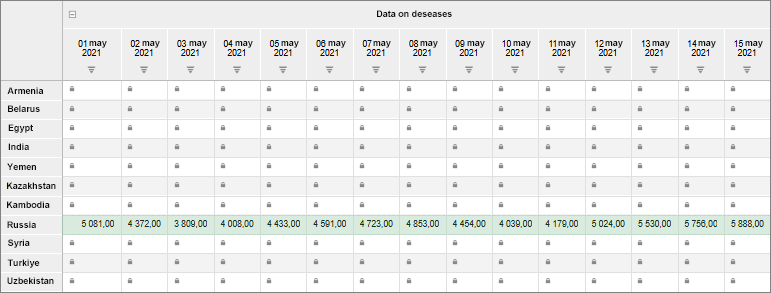
In this case data is highlighted because selection by all table area dimensions includes full selection by segment dimensions.
Data is not highlighted in the data entry form's table area for the process instance determined by multiple selection in the parameter. For example, the process instance: Facts - Recoveries per day, Deaths per day; Sex - Women, Men:
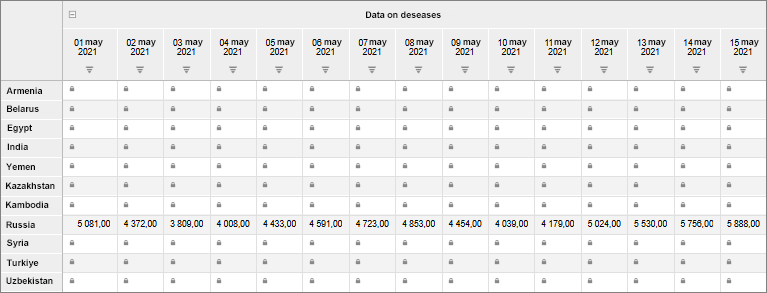
In this case data is not highlighted because selection by table area dimensions does not include selection by dimensions of the corresponding segment:
One value is fixed in the table area for fixed dimensions.
The corresponding segment dimension includes a set of values.
Use automatic segment to allows the user access to table area data for all elements of the Countries and Calendar dimensions. To do this, set up links between automatic segment dimensions and process parameters for the step containing this data entry form:
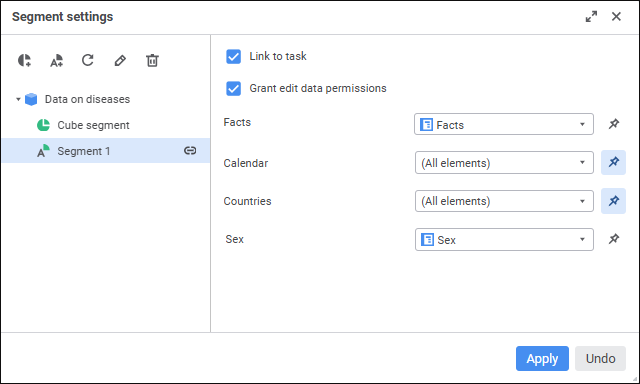
NOTE. After the link between the dimension and the segment is set up, dimension selection will depend on the values of corresponding parameters that determine process instance. Therefore at the same segment settings, a slice will be highlighted for one instance and not highlighted for other instance.
After the process is started, the monitoring window displays highlighted available data in the data entry form's table area for the process instance containing one element in parameter selection, during step execution. For example, the process instance: Facts - Recoveries per day; Sex - Women:
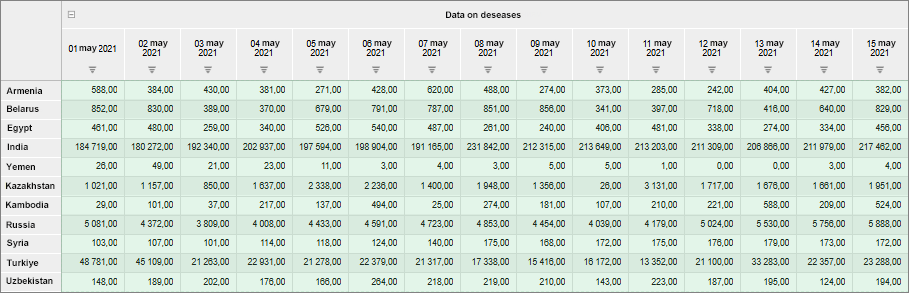
In this case, advanced filter in the Countries and Calendar dimensions does not affect data highlighting that is why one does not need to set selection in the Countries and Calendar dimensions.
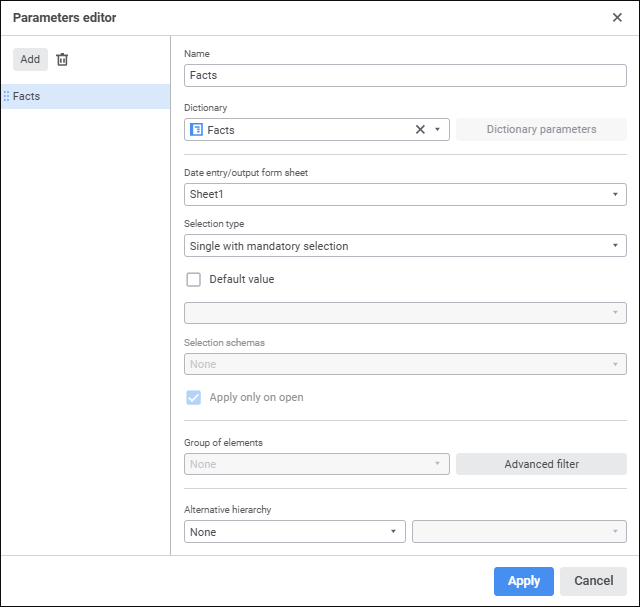
Consider data highlighting setup in the example of the process containing the Data Entry/Approval step. The step's data entry form contains a table area based on the cube view containing three dimensions: Calendar, Countries, Facts. The Women element in the Sex dimension of the source cube is fixed. The data entry form and the process are linked by the Facts parameter. The data segment is inherited from the standard cube, on which the cube view is based.
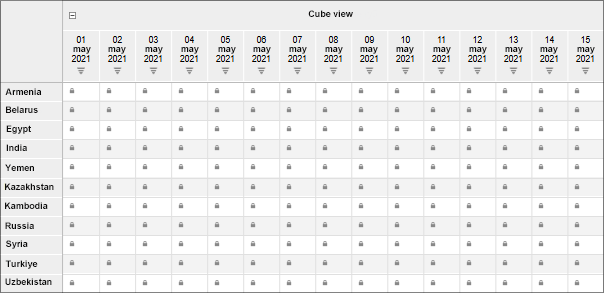
NOTE. The process parameter is linked with the data entry form parameter.
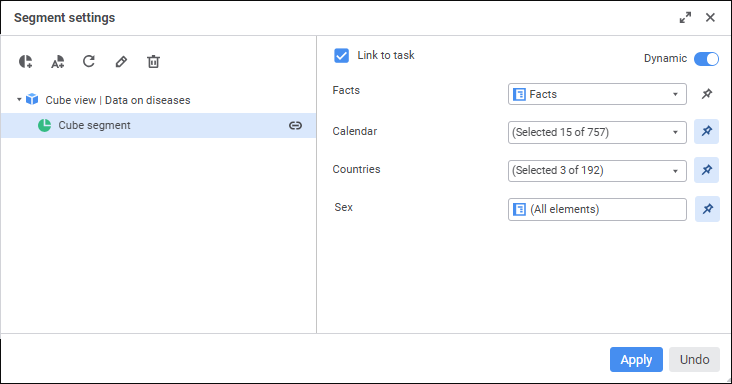
To display highlighting in the data entry form during step execution, allow the user access to table area data for the Russia, Belarus, and Turkiye elements from May 1 to May 15 of 2021 by selecting corresponding elements in the Calendar dimension. To do this, set up a link between the segment dimension and process parameter for the step containing this data entry form:
After the process is started, the monitoring window displays highlighted data in the data entry form's table area for the process instance containing one element in parameter selection, during step execution. For example, the process instance: Facts - Recoveries per day:
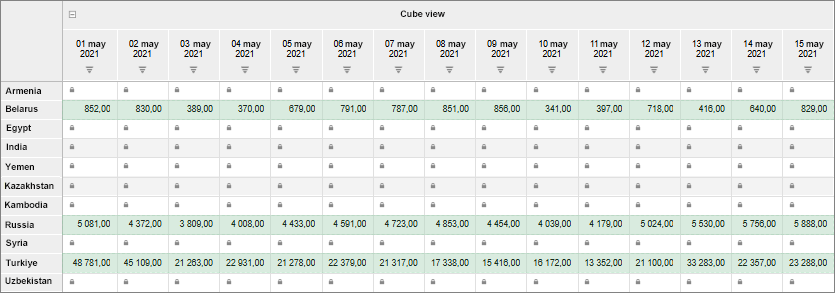
In this case selection in the Sex fixed dimension of the cube view does not affect data highlighting that is why one does not need to set selection in the dimension of the Sex segment.
See also:
Setting Up Role Model | Managing Data Segments