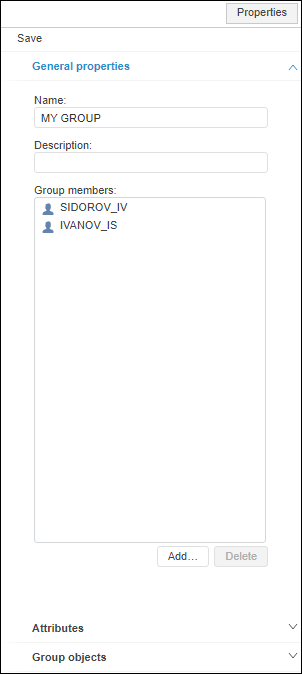
To change general properties of a user group, use the General Properties tab on the Properties side panel:
User group parameters:
Name. Unique name of a user group among users and user groups. Names of user groups are case insensitive. Creating user groups with equal names that are different only in case is not allowed.
IMPORTANT. Names of the ADMINISTRATORS and USERS built-in user groups are reserved and locked for editing.
Displayed Name. Full name of a user group.
SID. Identifier of a user group. It is generated automatically and is read-only.
Description. Description of a user group can be added at the administrator's discretion.
Group Members. Users included in the group.
Group Objects. View access permissions of a user group to repository objects.
See also:
Creating and Editing User Group | Adding Members to User Group