To update user access to objects, use the Users section:
When adding a user to a user group.
When transferring user between repositories with saving of group membership. For detailed information see the Adding a Security Subject and Installing Update sections.
For example, the user was added to the user group. After user update, access permissions of the user group will be applied to this user.
To update permissions for one or several selected users:
Select the User > Update Permissions item on the web application toolbar or in the desktop application's main menu.
Select the Update Permissions item in the user's context menu.
After executing one of the operations the permissions of selected users are updated.
To update all user permissions:
Select the User > Update Update All User Permissions item in the web application toolbar or in the desktop application's main menu.
Select the Update All User Permissions item in the user's context menu in the web application.
After executing one of the operation all user permissions are updated.
When updating user permissions, the system may request credentials of the user, who has user administration permissions on DBMS server, and also credentials required for granting repository object permissions.
NOTE. When roles of information security administrator and application administrator are separated, only application administrator or both administrators have the authority to update users, depending on the parameters selected during the mode activation.
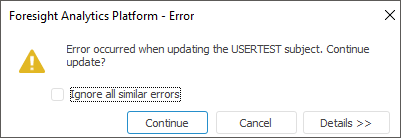
If the critical error occurs on updating two or more users, the notification window is displayed:
Select error solution:
Ignore All Similar Errors. The checkbox is deselected by default, and every similar error is displayed in the notification window on continuing the user permissions update. On selecting the checkbox and continuing the update similar errors are not displayed in the notification window.
Continue. User permissions update is continued.
Cancel. User permissions update is aborted.
Details. Error details are shown.
If errors occurred during the user permissions update, the Update Errors dialog box containing the list of all errors occurred during the update opens:
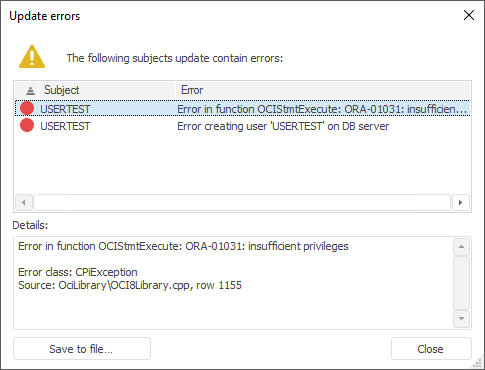
If required, save errors to file using the Save to File button.
 Update mechanism on using the Use Roles with Create, Drop and Alter User Permissions checkbox
See also:
Creating User Accounts and Working with Them | User Search
