
 Open the panel
To analyze data changes in table cells, one can view cell value version history.
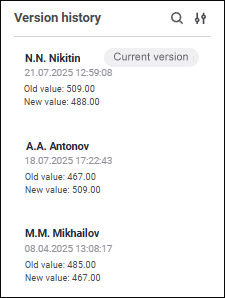
To view version history, use the Version History panel:
To enable version history, the table should be based on the cube with selected Keep Version History checkbox.
Each version history record contains the following information:
User. Displayed name of the user who created a comment. If the displayed name is not set, the Name parameter is used.
Date and time of value change.
Old and new values.
Records are generated during editing and saving cell values.
The following operations are available on the version history panel:
See also:
 Version History button on the control panel.
 Search button.
 Display Settings button.