
 Open the Caption group of parameters
Chart caption is a text element containing a brief description of chart contents.
To set up chart caption, use the Caption group of parameters on the side panel or for a quick setup use the Formatting toolbar tab.
Open the Caption group of parameters
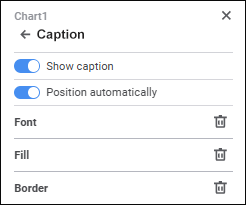
To display caption, toggle the Caption switch to active state:
The caption area will be added to the chart. Enter text in the chart caption area. It is available for all chart types, except secondary pie charts, secondary histograms, 3D pie chart with absolute values, stock exchange charts, histograms with fluctuation intervals, box charts, box charts with linear series.
Enter caption text in the Caption Text box to display in on the chart. It is available for secondary pie charts, secondary histograms, 3D pie charts with absolute values, stock exchange charts, histograms with fluctuation intervals, box charts, box charts with linear series.
Determine caption settings:
To hide the caption, toggle the Caption switch to inactive state.
To quickly set up caption formatting, use the Formatting tab on the toolbar:

Select the caption on the chart and set the parameters:
Quick setup of the caption is available for all chart types, except secondary pie charts, secondary histograms, 3D pie charts with absolute values, stock exchange charts, histograms with fluctuation intervals, box charts, box charts with linear series.
To set mixed formatting in caption, change font options of the selected text part. The action is available only during the quick setup of caption formatting.
See also:
 Parameters button on the toolbar and select the required group.
 Add Color button. The advanced color palette opens.
 Delete button.
 Font Color button and select text color in the drop-down color palette. One can select standard and custom colors. The palette contains only standard colors by default. To create a custom color, use the advanced color palette that is available after clicking the
  Font Color button changes for the selected color.
 Fill Color button. The color palette opens. Select a fill method:
 No Color button. Fill is not used by default.
 Fill Color button changes to the selected color, and if two-color fill is selected, it changes to the gradient.
 Left
Left Center
 Right
Right