Select the source dictionary in the drop-down list.
NOTE. To avoid cyclic error, check link settings: if element synchronization is enabled for the edited composite MDM dictionary, this dictionary must not be a source for the source dictionary at every source nesting level.
To quickly select an object, enter object's name/identifier/key in the search box depending on display settings. Search is executed automatically while the searched text is entered into the search string. The list will display the objects, which names/identifiers/keys contain the entered text.
To set up displaying of repository objects, click the Show Object button and select display option in the drop-down menu:
Name. Objects are displayed with their names. Default option.
Identifier. Objects are displayed with their identifiers.
Key. Objects are displayed with their keys.
Several options can be selected. Identifier and key will be specified in brackets.
To reset selection for the selected objects, click the Clear button.
One can use an MDM dictionary or a composite MDM dictionary as a source dictionary.
Link attributes of the composite dictionary and attributes of the source dictionary, if there are any. The Attribute column displays identifiers of all existing attributes in the composite dictionary, except for system attributes. Specify identifier of the source dictionary attribute in the Linked column.
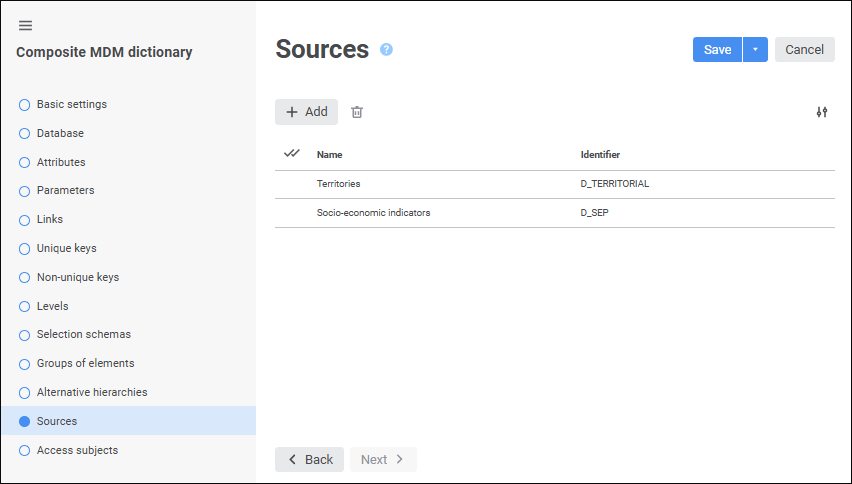
 Add button. The Add Source dialog box opens: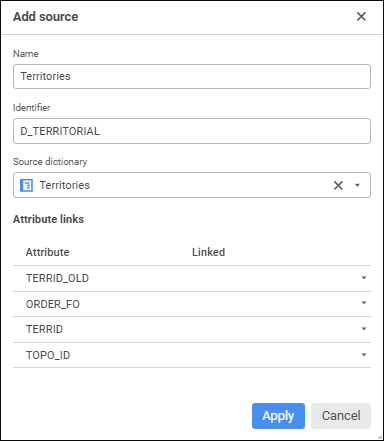

 Name and identifier
 Show Object button and select display option in the drop-down menu:
 Clear button.
 Delete button. A confirmation to execute the operation is requested.