Adding Objects and Links Between Them
When creating a data model one can add the following objects to the working area:
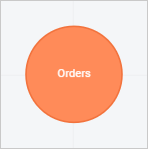
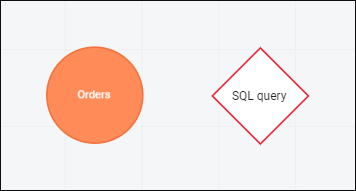
Table circles. Tables from data sources added to the working area:
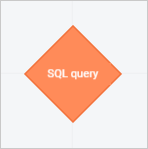
SQL queries. Table samples based on the specified SQL query:
After objects are added, one should set up links between them.
Adding Objects
To add an object to the working area, execute one of the operations:
Double-click the data table or SQL query in the list of sources.
Drag the data table or SQL query from the list of sources to the working area.
As a result, the working area displays table circles and/or SQL queries.
Available operations with objects in the working area:

 Rename button in the selected object's context menu.
 Reload item in the object's context menu. The data source update dialog box opens. If several files were loaded, the files will be combined during reloading.
 Delete item in the object's context menu.
Adding Links
To add objects to the working area, one needs to set up links between them.
Objects without configured links are highlighted with red color:
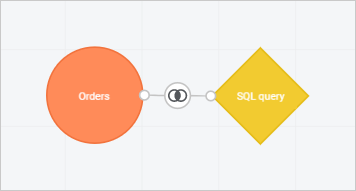
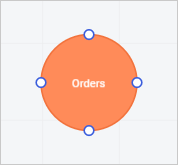
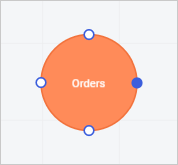
One can add links manually and automatically:
Setting Up Links
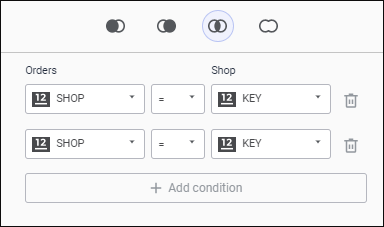
Links are set up in the special setup dialog box:
 To open the link setup dialog box
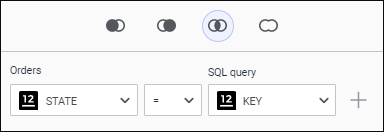
Follow the steps to set up links:
Select object link type:
 LEFT OUTER JOIN. The following is selected from both tables:
All records of the first table.
Records of the second table matching the records of the first table by value of the linked field. The rest of the records of the second table are truncated.
 RIGHT OUTER JOIN. The following is selected from both tables:
Records of the first table matching the records of the second table by value of the linked field. The rest of the records of the first table are truncated.
All records of the second table.
 INNER JOIN. The only selected records are those with matching values of linked fields. The rest of the records of both tables are truncated.
The inner join operation is selected by default.
 FULL OUTER JOIN. All records of both tables are selected without truncation even if values of linked fields mismatch.
Select table fields to be linked in the drop-down lists.
Select the field correspondence condition in the drop-down list when combining data model tables:
=. Default value. Links are established automatically between table fields with matching titles.
≠. Rows are combined into a table if values of the field values from the first table are not equal to field values of the second table.
>. Rows are combined into a table if field values of the first table are greater than field values of the second table.
<. Rows are combined into a table if field values of the first table are less than field values of the second table.
>=. Rows are combined into a table if field values of the first table are greater or equal than field values of the second table.
<=. Rows are combined into a table if field values of the first table are less or equal than field values of the second table.
If required, add multiple links between objects:
Click the
 Add Condition button.
Set up the new link: