
 To open the activation wizard
The Foresight Analytics Platform activation wizard is used to activate an application using a stand-alone license and replace the current license with a different one.
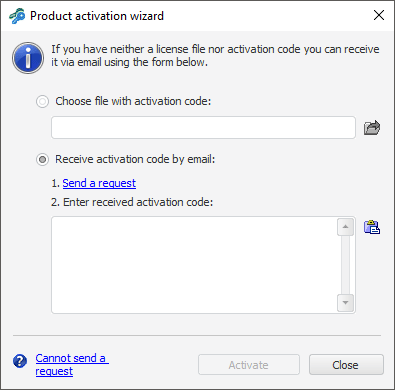
The activation wizard prompts two methods of product activation: by using a license file or by an activation code obtained by email.
To activate a product:
Select the required radio button:
Choose File with Activation Code. When this activation method is used, specify the path to this file.
Receive Activation Code by Email. When this activation method is selected, execute the steps suggested by the wizard:
Send a request using the Send a Request hyperlink. The activation wizard creates a letter text using the default email client. If the system does not have a default email client or it is not possible to send a letter, click the Cannot Send a Request hyperlink. Copy the displayed information and send it to the specified address using an available method. The email text contains the information necessary for receiving a license: project name, feature, computer locking code, and so on. The product activation code will be sent in the response email.
Enter the obtained code in the appropriate box. To paste text from the clipboard to the text box component, click the  button or press CTRL+V.
NOTE. If the license manager is started from the About window, welcome screen or the error message, changes take effect after restarting Foresight Analytics Platform. To successfully activate the Foresight Analytics Platform, the user must have write permissions for the folder %PROGRAMDATA%\Foresight\Foresight Analytics Platform\.
See also:
Working with License in Windows OS