Setting up the number of displayed credentials is available for the following versions of Foresight Mobile Platform: 21.02.005, 21.04.004, 21.10.003, 22.04.002 or later.
By default, the administrator console displays all user credentials added manually or imported from LDAP:
When connecting to a data source on the Credentials tab in the Data Sources subsection.
When adding an API user in the Credentials drop-down list in the API Users subsection.
When adding a group of users in the Credentials drop-down list in the Groups of Users subsection.
IMPORTANT. The number of displayed user credentials affects the administrator console performance and the speed of loading the appropriate list. Set up experimentally the number of displayed credentials depending on allocated computer system resources.
To set up the number of displayed credentials in the administrator console when using standalone configuration of Foresight Mobile Platform:
Set the number of displayed credentials in the .env file:
DATASOURCE_LIST_LIMIT = <number of displayed credentials>
The parameter is set to 0 by default, all credentials are displayed.
Restart the fmp_server_1 container:
% docker container restart fmp_server_1
To set up the number of displayed credentials in the administrator console when using a fault-tolerant cluster based on OKD/OCP deployed during installation of cluster configuration of Foresight Mobile Platform:
When Foresight Mobile Platform 21.04.004, 21.10.003, 22.04.002 or later is used. In the OKD application:
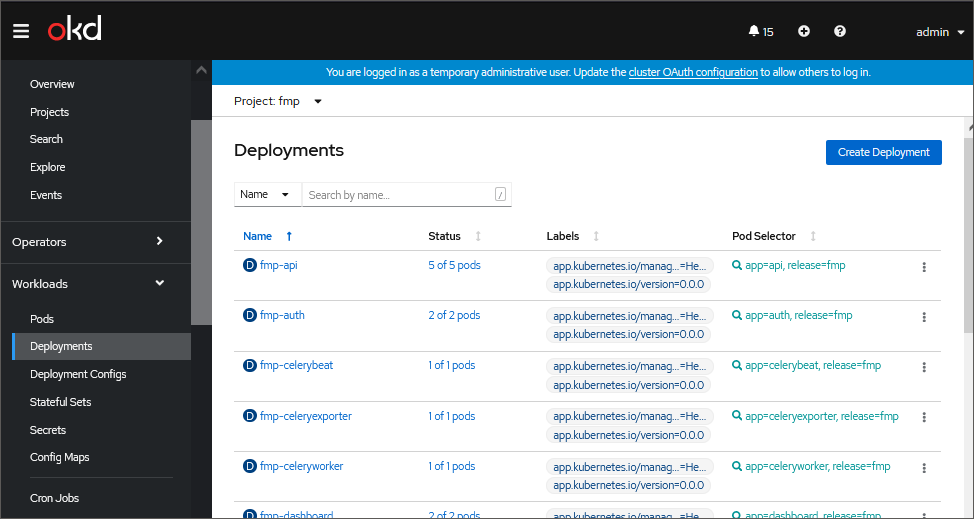
Open the Workloads > Deployments subsection.
Select fmp-dashboard in the mobile platform project, for example, fmp:
Go to the Environment tab:
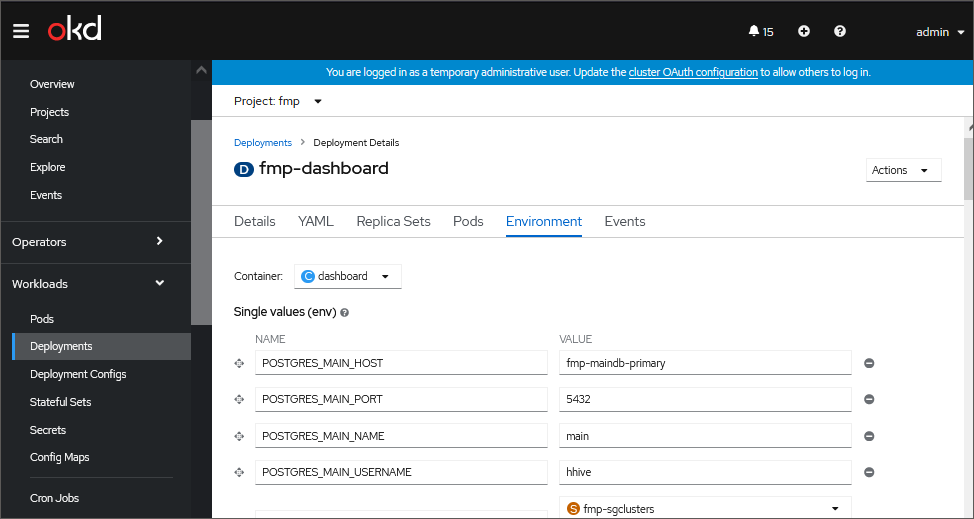
Set the number of displayed credentials as a value of the DATASOURCE_LIST_LIMIT parameter:
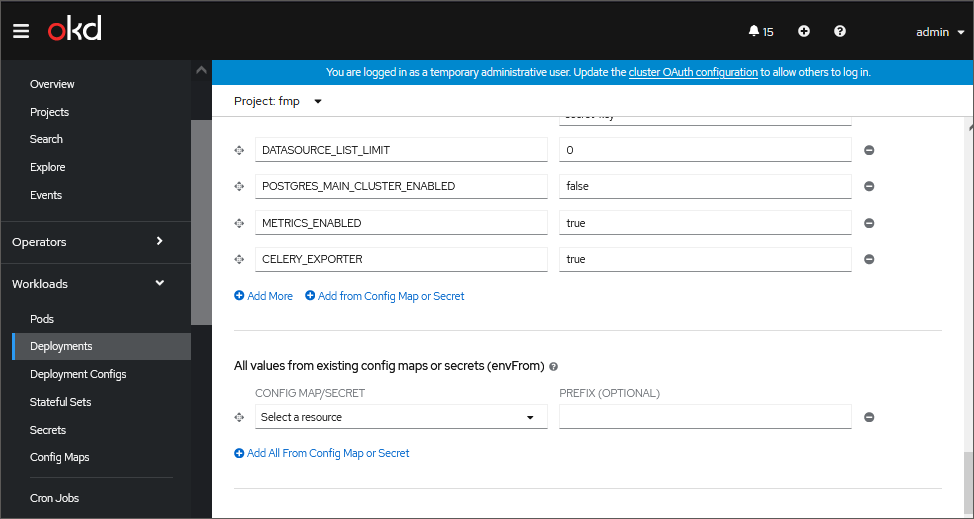
After executing the operations the administrator console displays the specified number of user credentials with alphabetic sorting.
NOTE. If after the constraint is set, the list does not display the required credentials, return the 0 value of the DATASOURCE_LIST_LIMIT parameter or increase the number of displayed credentials.
When Foresight Mobile Platform 21.02.005 is used:
Set the number of displayed credentials in the env block contained in the deployments/dashboard.yaml file:
name: DATASOURCE_LIST_LIMIT
value: "<number of displayed credentials>"
The parameter is set to 0 by default, all credentials are displayed.
Apply the changes:
oc apply -f deployments/dashboard.yaml
See also:
Installing and Setting Up Foresight Mobile Platform | Mobile Platform Server Advanced Settings | Administration and Access Control