
 Open the panel
To analyze table cell data changes, one can view cell value version history.
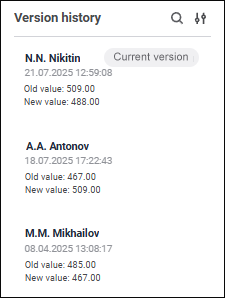
To view version history, use the Version History panel:
To enable version history, the table should be based on the cube with selected Keep Version History checkbox.
The following is specified for each version history record:
User. Full name of the user who created a comment. If full name is not set, user name is displayed.
Value change date and time.
Old and new value.
Records are created on entering and saving values to cell.
The following operations are available on the version history panel:
See also:
Working with Ready Data Entry Form
 Version History button on the control panel.
 Search button.
 Display Settings button.