
 Create a new update
Working with the update manager is available for the user/group member who has the Access to Update Manager privilege.
To get started with update manager, create a new or open ready update:
To create an update, see the Creating Update privilege.
To work with ready update, see the Working with Ready Update article.
If you still have questions, see the Questions and Answers article.
The main window of the Update Manager tool:
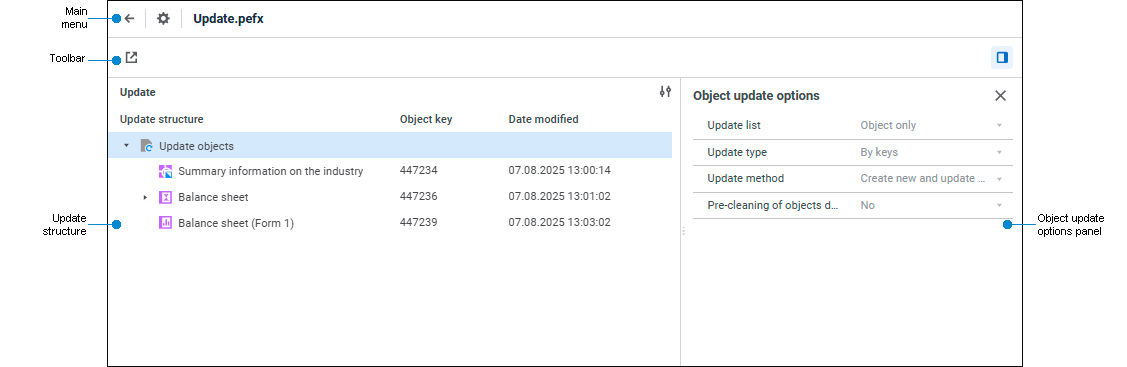
Update manager window elements
See also:
Creating an Update | Working with Ready Update | Questions and Answers
 Update Manager section on the side panel.
  Create Update button on the toolbar.
 Open from File button on the toolbar.
 Object Update Options button on the toolbar.