
 Open security manager
To get started with the tool, open the security manager.
To set up the system security policy, see the Setting Up System Security Policy article.
To track system security violations, see the Tracking System Security Violations article.
To create security policy backup, restore security policy and manage maintenance mode, see the Repository Maintenance article.
To control Foresight Analytics Platform and repository metadata integrity, see the Controlling Foresight Analytics Platform and Metadata Integrity article.
The main window of the Security Manager tool:
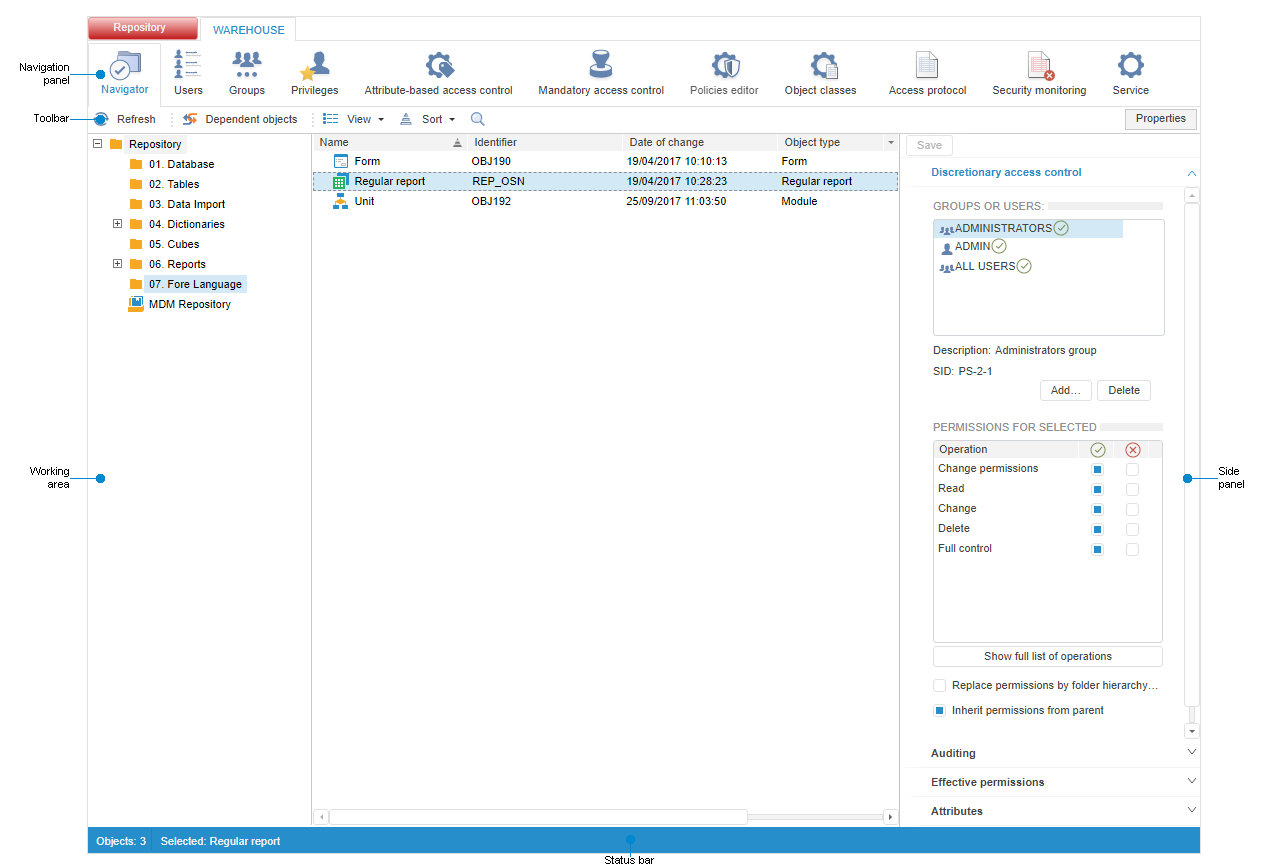
NOTE. The security manager main window opens in the Navigator section by default.
Security manager window elements
See also:
Setting Up System Security Policy | Tracking System Security Violations | Repository Maintenance | Controlling Foresight Analytics Platform and Metadata Integrity
 Security Manager item on the side panel in the