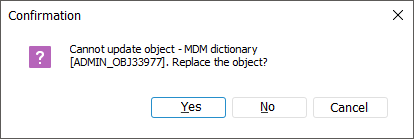
If no parent object, from which an updated object consists, is found in the process of object update, the message is displayed that this object will be replaced. For example, a table is updated and the target repository has no database required for update. In this case the object cannot be updated and an error occurs:
Clicking the Yes button opens a standard dialog box of object selection. In this case a database is selected. After selecting the database and clicking the OK button, the system requests whether this object will be used further if such an error occurs while executing the current update.
Clicking the No or Cancel button cancels the object update.
See also:
Installing Update | Update Process