Adding Object Deletion
To add the object deletion to update, select the Delete Object update object in the drop-down menu of the  Add Object to Update button on the toolbar. After executing the operation select the deletion object in the Select Object from Repository dialog box. The object deletion is added to the update structure: to the selected folder created in the update manager or added from the repository; to the selected container; to the end of the list of update objects in the structure root, if not folder or container were selected during adding object deletion.
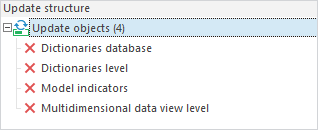
Object appearance in the update structure:
When installing update, the deleted object is searched in the target repository depending on the option selected in the Update Type parameter: by keys or by identifiers. If the Default update type is set, object deletion will depend on the type specified for all update objects.
See also:
Creating an Update