
 To open the panel/tab
Using private dimensions is available in regular reports in the web application, express reports, dashboards.
If a visualizer uses several data sources, all dimensions of data sources are divided in the following groups:
Shared dimensions. Dimensions contained in all data sources.
Private dimensions. Unique dimensions of a source and dimension, not contained in every data source.
Originally, on setting up data display from several data sources shared dimension selection and private dimension selection from the first data source corresponds to the selection configured in the data sources in use. Private dimension selection of the second and next data sources corresponds to the selection from saved views of the data sources in use.
When moving a dimension from shared to private ones the selection in all private dimension will correspond to the selection in shared dimensions; when moving a dimension from private to fixed ones only the first element is selected.
To work with private dimensions:
In regular reports:
In the web application use the Private Dimensions/Fixed Private panel.
In the desktop application use the Private Dimensions/Fixed Private Dimensions tabs in the Selection group of tabs on the side panel.
In express reports and dashboards use the Private Dimensions/Fixed Private Dimensions tabs in the Selection group of tabs on the side panel.
Shared dimensions are displayed in the Dimensions area/on the tabs in the Selection group of tabs on the side panel. Private dimensions are grouped on the Private Dimensions/Fixed Private panel/tab.
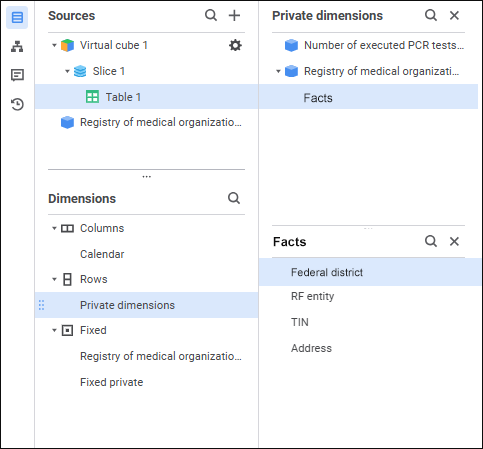
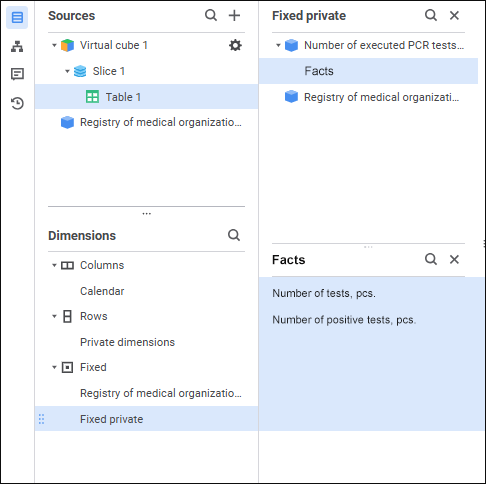
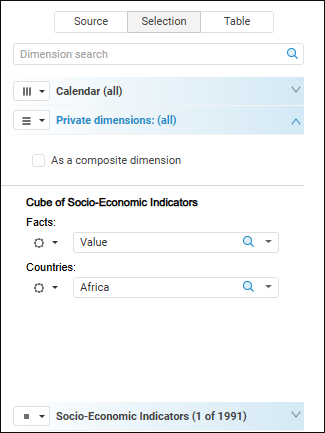
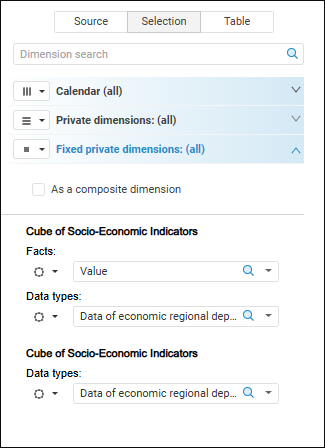
Working with private dimension elements is similar to working with elements of shared dimensions, except for features described below.
Move dimension from shared to private
Move dimension from private to shared
NOTE. In private dimensions one can add calculated elements.
Report data sources have one unique dimension, which contains cube facts. After private dimensions are located in columns, the report will have strict data division by source:
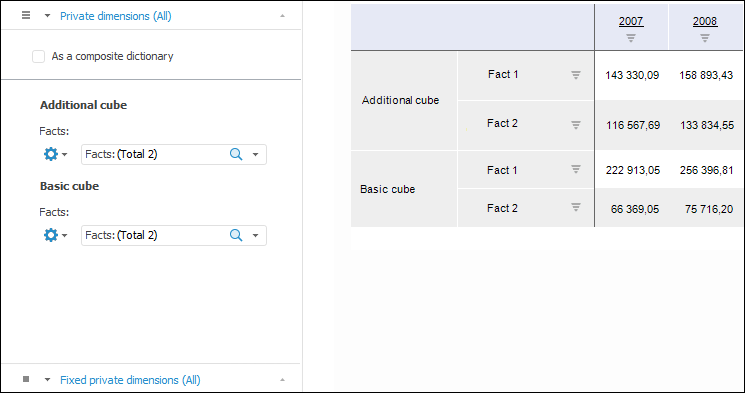
NOTE. Cube facts dimensions are always private dimensions.
See also:
Working with Dimensions | Setting Up Displaying of Dimensions
 Actions button.
 Settings button located below the private dimension name on the Private Dimensions tab.

 By Columns button, the
  By Rows button, or the
  Fixed button located to the left of the dimension name in the Selection group of tabs on the side panel.