 Insert button in the Header/Footer group of parameters on the side panel and select the Control Value option. The Output Control dialog box opens:
To add a control value to header or footer, click the Insert button in the Header/Footer group of parameters on the side panel and select the Control Value option. The Output Control dialog box opens:
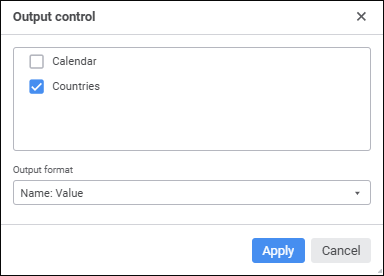
In the dialog box that opens determine the following parameters:
Controls. The list contains all existing report controls. Select checkboxes of the controls, which values should be output to header or footer.
Output Format. In the combobox select the available output format option for control values. The control name and its values in different versions are displayed.
After the Apply button is clicked:
The Text box will be added as a tag to each selected control:
&[<Control identifier>.Value Format = "<Selected format>"]
After the tag is created, it can be edited and deleted only manually in the Text box.
Control value and name will be inserted to the corresponding header/footer part depending on the selected format.
See also: