
 Add a level
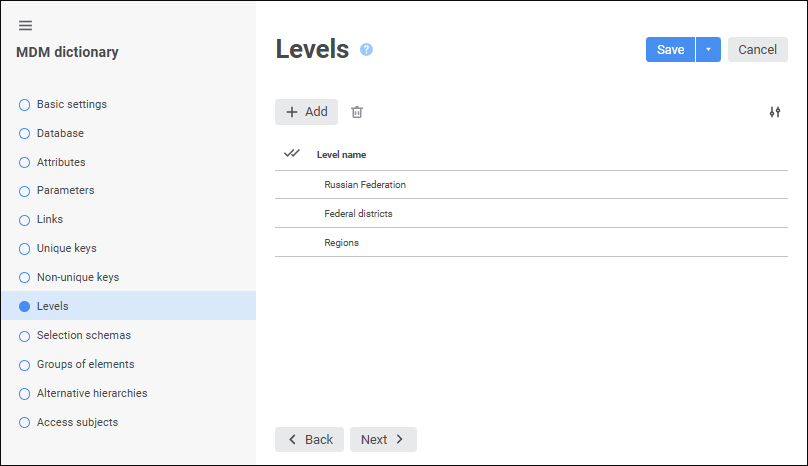
The Levels page is used to set up levels to set up data aggregation in the cube that uses the dictionary as a dimension.
Aggregation calculates data of an upper level based on lower level data. For example, data calculated for months is summed to get quarterly data.
Suppose that a dictionary has the following elements hierarchy:
Russian Federation:
Northern area:
Arkhangelsk region.
Vologda region.
North-West region:
Saint Petersburg.
Create levels for these elements:
Russian Federation.
Federal districts.
Regions.
NOTE. Each created level must correspond to the actual level of the dictionary elements hierarchy.
If this dictionary is used as a cube dimension, aggregation can be set up. For example, values for the states can be summed up to get values for the whole continent.
Change the number of displayed properties
To go to the wizard tabs: Selection Schemas, Groups of Elements, Alternative Hierarchies, save the dictionary settings by clicking the Save button.
See also:
 Add button. A string is added to the end of the list, the string contains level name. The default name: Level
 Delete button. A confirmation to execute the operation is requested.
 Settings button and select or deselect the checkbox next to property names.