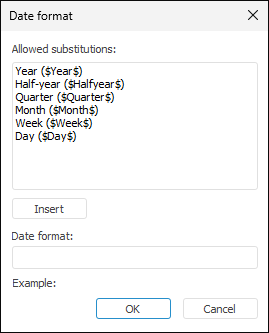
Date format can be set up in the Date Format dialog box to determine parsing parameters for dates used in the data source.
NOTE. Date format is set up if calendar elements are located in data source columns.
To open the dialog box, click the Set Up button on the Data Binding page in the data import wizard.
To create a date format, use the Date Format dialog box. The format allows for the use of:
Any characters entered using the keyboard.
Substitutions from the Allowed Substitutions list. To insert the selected substitution:
Click the Insert button.
Double-click the substitution.
The substitution will be inserted to the end of the date format.
The created date format is displayed in the Sample box.
The following combinations in the template are not allowed:
Quarter and month.
Half-year and month.
Half-year and quarter.
Half-year and week.
Week and day.
Quarter and week.
Month and week.
See also: