 Create button in the main menu of the object navigator and select the object type on the New Object side panel.
A database is a repository object containing basic settings for connecting to the current database created on a DBMS server. Various repository objects use database connection to access DBMS objects and information stored in these objects.
To create a database connection, click the Create button in the main menu of the object navigator and select the object type on the New Object side panel.
The database wizard opens after executing the operation:
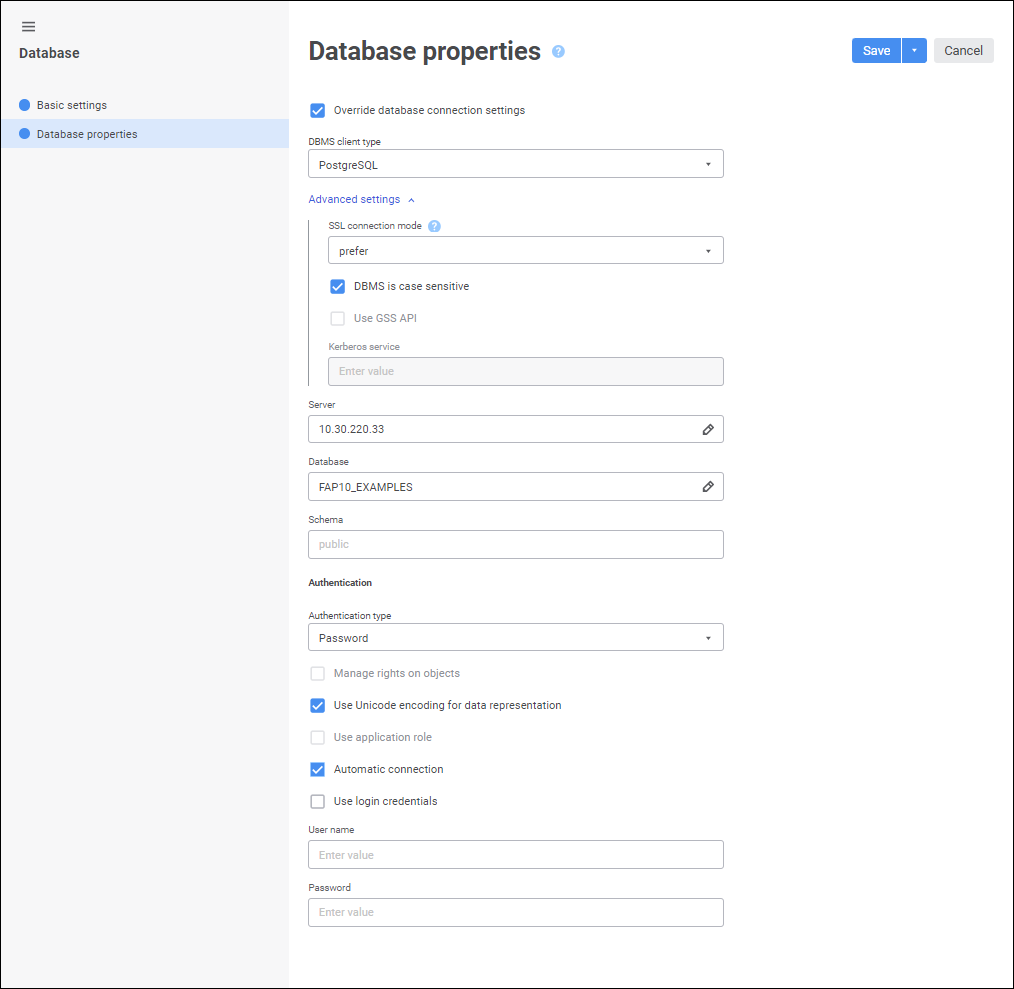
The following pages are available in the wizard:
Basic Settings/Basic Properties. The page is used to set object name, identifier and comment.
Database Properties. The page is used to determine database management system (DBMS) type installed on the server and additional connection parameters.
After a database is created, it is checked if there is a default database. If there is no default database, the user is prompted to use the created database as a default one.
See also:
Connecting to External Databases | Database Authorization | IDatabase

 Edit settings