draw(context: Object, xoff: Number, yoff: Number);
context. Item draw area.
xoff. Size of horizontal shift.
yoff. Size of vertical shift.
The draw method draws a tag cloud item.
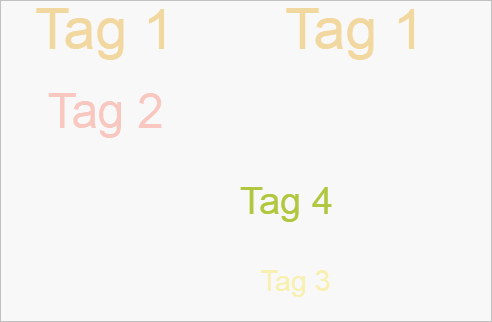
To execute the example, the page must contain the TagCloud component named tagCloud (see Example of Creating the TagCloud Component). The example must be placed in the <script> tag. Render the first cloud item with the shift (0, 150):
//Get draw area sizes
console.log("Draw area height: " + tagCloud.getCanvas().getHeight());
console.log("Draw area width: " + tagCloud.getCanvas().getWidth());
// Get element 1 coordinates:
console.log("X coordinate of element 1: " + tagCloud.getItems()[0].getPosition().getX());
console.log("Y coordinate of element 1: " + tagCloud.getItems()[0].getPosition().getY());
console.log("Z coordinate of element 1: " + tagCloud.getItems()[0].getPosition().getZ());
// Get draw area
var canvas = document.getElementsByTagName("canvas")[0];
// Draw element 1 with new coordinates:
tagCloud.getItems()[0].draw(canvas.getContext("2d"), 0, 150);
The console displays width and height of draw area and first item coordinates:
Draw area height: 300
Draw area width: 500
Coordinate X of the first item: 107.34501265351119
Coordinate Y of the first item: -61.617024988038025
Coordinate Z of the first item: -43.66867286785989
As a result the first item will be rendered in new coordinates:
See also: