getState();
The getState method returns settings of bubble chart view in express report.
The method returns a PP.Ui.PropertyChangedEventArgs object.
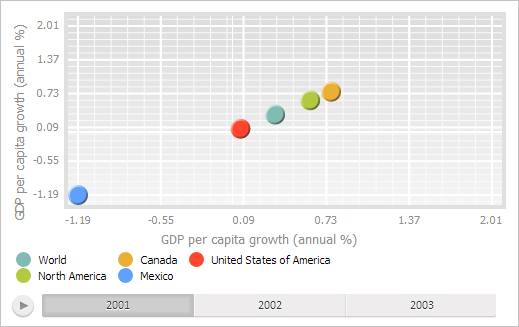
Executing the example requires that the HTML page contains the ExpressBox component named expressBox (see Example of Creating the ExpressBox Component), and a chart must be loaded in the data area. Place legend at the left below the bubble chart plot area:
// Get a list of panels of express report bubble chart wizard
var master = expressBox.getPropertyBarView().getBubbleChartMaster();
// Display this wizard
master.show();
// Display the first wizard model
master.expandFirstItem(True);
// Get the first express report bubble chart
var bubbleChartView = master.getDataView()[0];
// Get bubble chart settings
var state = bubbleChartView.getState();
var meta = state.getMetadata();
for (var i in meta) {
    // Place bubble chart legend at the top right corner
    if (meta[i].Name == "chartmaster.legendpanel.legendposition") {
        meta[i].Value = "Bottom&Left"
    }
};
// Refresh bubble chart
bubbleChartView.refresh(state);
// Apply refreshed settings
master.setSettings(meta);
After executing the example the legend is displayed at the left below the bubble chart plot area: