PP.Ui.ChartScroller(settings);
settings. JSON object that contains values of component properties.
The ChartScroller constructor creates an instance of the ChartScroller class.
Executing the example requires that the HTML page contains the Chart component named chart (see Example of Creating the Chart Component). Create a scroller and add it to the chart:
// Set scroller for the chart
var scroller1 = new PP.Ui.ChartScroller({
    // Set parent chart
    Parent: chart,
    // Enable scroller
    Enabled: true,
    // Set maximum number of displayed items in X axis
    MaxPointsInSight: 2
});
// Get scroller
var scroller = chart.getScroller();
// Define new settings for the scroller
scroller.setSettings(scroller1.getSettings());
Check if the scroller is added to the chart, then redraw the scroller:
// Check if scroller is added to the chart
if (scroller.getIsActual()) {
    console.log("Scrolller is added to the chart");
} else {
    console.log("Scrolller is not added to the chart");
}
// Redraw the scroller
scroller.redraw();
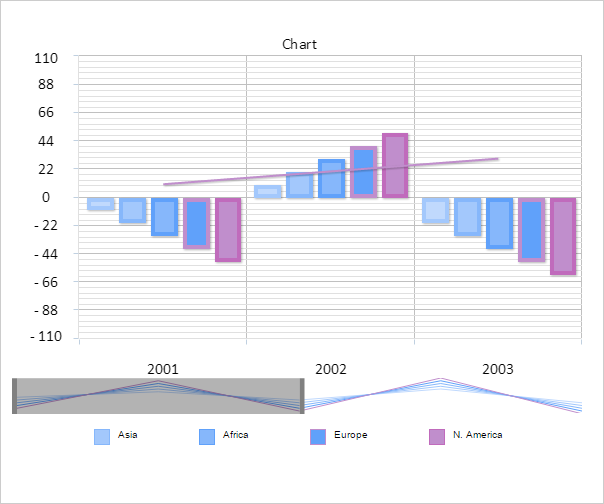
A scroller is added to the chart:
After this a message about adding a scroller is displayed in the console:
Scroller is added to the chart
Move the scroller one step to the right:
// Get the number of intervals between X axis tick marks
console.log("Number of intervals between X axis tick marks: " + scroller.getRealXLength());
// Move scroller one step to the right
scroller.setPosition(scroller.getPosition()+1);
The console shows the number of X axis items:
number of intervals between X axis tick marks: 4
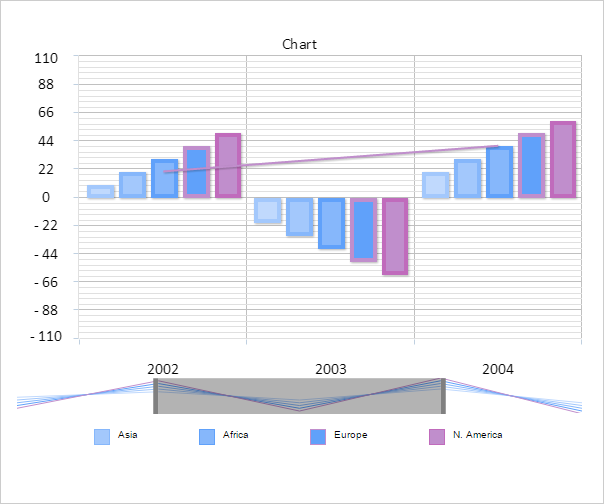
As a result, the scroller is moved one step to the right:
See also: