To export update object list:
Select the Update > Export List main menu item.
Select the location for file to be saved. By default, the file is saved with the name: Update List of <date and time of saving>.
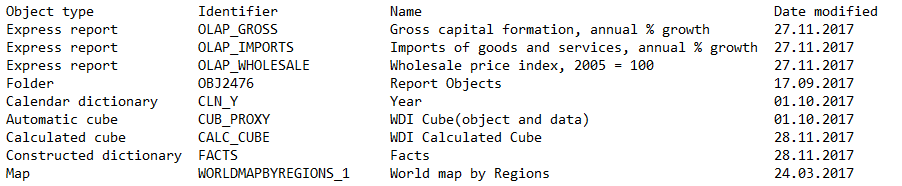
The list contains object type, identifier, name, date modified, SQL query text, comment text, and so on. Properties depend on the update object type.
NOTE. Update object list export is available only in the desktop application.
Export is performed to the text file:
Tabulation is used as field separator.
Carriage return and line feed are used as string separators.
The example of text file for exported update object list:
See also:
Working with Ready Update | Installing Update