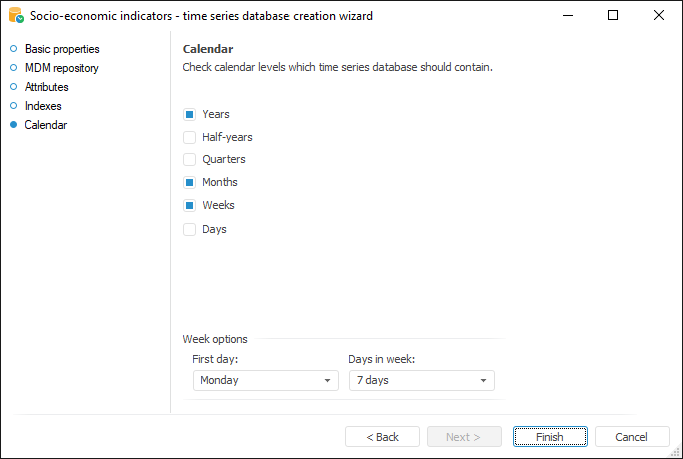
Set up calendar levels on the Calendar page:
Select checkboxes for all calendar levels to be included in the time series database. If the Weeks level is selected, advanced options are available:
First Day. Set the first day of week.
Days in Week. Set the number of days in a week.
Week options affect series calculation on the weekly calendar basis. All calculations are executed considering specified options. For example, if it is specified that there are seven days in a week and it starts on Monday, the calculation is executed for all series points. If there are five days in a week and it starts on Sunday, the points from Friday and Saturday are excluded from the calculation.
To save the time series database and exit the wizard, click the Finishbutton.
See also: