User
The User connector is an object that is used to get data from a provider with a user algorithm. The algorithm should be implemented in the Fore language and stored in the current repository unit.
After adding the connector to the ETL task working area set basic properties and select a class with data import implementation. The connector output can also be edited.
Setting Up Connector
The settings panel is used to specify the development environment object, in which data importer is implemented.

 To display the properties panel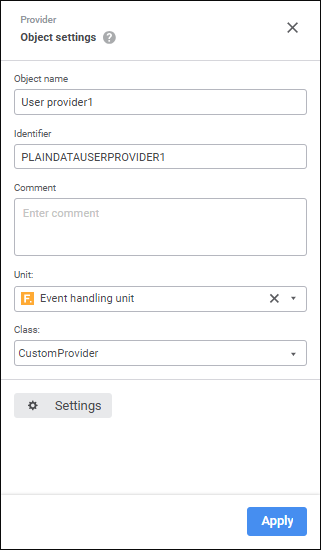
The following settings are available on the properties panel:
Object Name. If required, change connector name.
Identifier. If required, change object identifier. Identifier should be unique with the ETL task. Usage of Latin letters, numbers and the "_" character is allowed. The identifier should start with a letter.
NOTE. If required, add a note to an object. The note can contain any information.
Unit. Select repository unit/assembly in the drop-down list.
Class. In the drop-down list select the class that contains implementation of a custom algorithm for getting data. The class should be inherited and contain implementation of the IDtRecordsetProvider or IDtCustomProvider interface.
Settings. The button is used to edit connector output.
To save the changes, click the Apply button.
To close the connector properties panel without saving, click the  Close button.
 Settings button.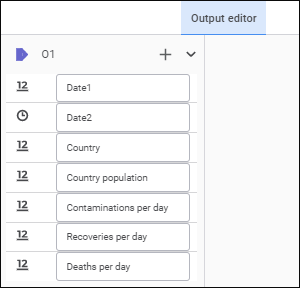
 Create Link button and select an object output. If the list of provider and consumer fields fully matches, all fields will be linked automatically. A link between fields can also be set up in the
  Actions button and select the Fill from Provider item.
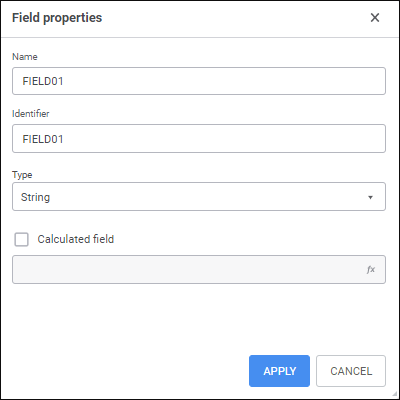
 Add button. The Field Properties dialog box opens: