Repository Object
The Repository Object connector is an object that is used to get data from objects of the current repository.
After the connector is added to the ETL task working area, select data source in the repository, set up import options and edit connector output.
Selecting Data Source
When a new connector is created, the modal window with the repository tree is displayed. Select the required data source in the tree and click the Select button. The following objects can be selected to be used as a provider:
MDM dictionary.
Data sets (table, external table, view, query, data model table).
Document.
If a database is specified in data provider settings, autoconnection should be set up for the database. If an object shortcut from another repository is selected as a data provider, autoconnection should be set up in the repository link.
To set up connector parameters, use the properties panel.

 To display the properties panel
Import Options
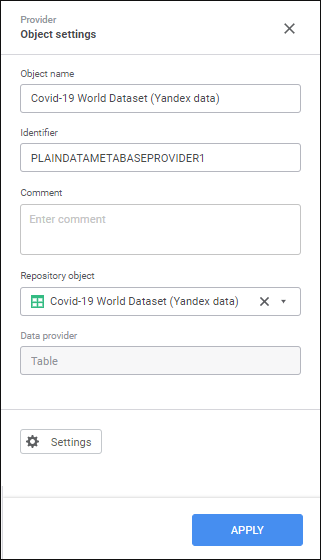
Settings on the properties panel depend on the data source type.
The following parameters are available:
Object Name. If required, change connector name.
Identifier. If required, change object identifier. Identifier should be unique with the ETL task. Usage of Latin letters, numbers and the "_" character is allowed. The identifier should start with a letter.
NOTE. If required, add a note to an object. The note can contain any information.
Repository Object. The box contains the repository object selected as a data source. To remove the object, click the
 button. After the object is removed, one can select a new object in the drop-down list of the Repository object box.
Settings. The button is used to edit connector output.
To save the changes, click the Apply button.
To close the connector properties panel without saving, click the  Close button.
 Settings button.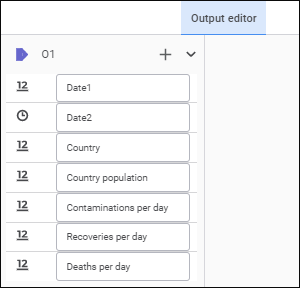
 Create Link button and select an object output. If the list of provider and consumer fields fully matches, all fields will be linked automatically. A link between fields can also be set up in the
  Actions button and select the Fill from Provider item.
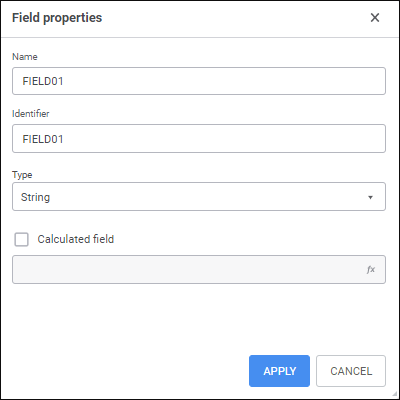
 Add button. The Field Properties dialog box opens: