
 To open the Data group of parameters
To set up combining of several values of fixed dimension elements, use the Data group of parameters on the side panel:
To open the Data group of parameters
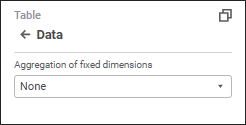
Set the parameters:
Aggregation of fixed dimensions
Separate filtering for heading and sidehead
See also:
Setting Up Data Visualization | Setting Up the Summary Table Visualizer
 Settings button on the