PolicySets: IABACPolicySets;
The PolicySets property is used to work with the collection of sets of policies.
To execute the example, make sure that attribute-based access control contains a set of policies with a nested set of policies.
To execute the example, add links to the ABAC and Metabase system assemblies.
Sub UserProc;
Var
PolicyObject: IABACRootPolicyObject;
PolicySet, EditSet: IABACPolicySet;
MB: IMetabase;
MS: IMetabaseSecurity;
Lic: Object;
Begin
MB := MetabaseClass.Active;
// Get license to be able to work with the security manager
Lic := MB.RequestLicense(UiLicenseFeatureType.Adm);
MS := MB.Security;
PolicyObject := MB.Security.Policy.ABACRules;
// Change description of the first policies set in the set
PolicySet := PolicyObject.Policies.Item(0); // the first policies set in attribute-based access control structure
EditSet := PolicySet.PolicySets.Item(0); // the first policies set in the selected set
EditSet.Description(MB.CurrentLocale) := "Test policies set";
// Disable activity of policies set in attribute-based access control structure
EditSet.Active := False;
// Display key of changed policies set in the console
Debug.WriteLine("Policies set key: " + EditSet.Key.ToString);
// Apply changes in security manager
MS.Apply;
// Check in license
Lic := Null;
End Sub UserProc;
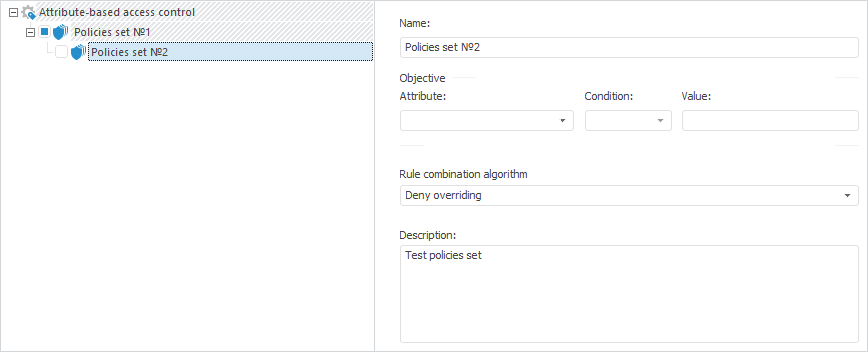
After executing the example the description of the nested set of policies is changed in attribute-based access control, and the checkbox that determines activity of set of policies is deselected in attribute-based access control structure:
The console displays the key of the nested set of policies:
Key of set of policies: 123
See also: