PP.MapGrid(settings);
settings. JSON object that contains values of component properties.
The MapGrid constructor creates an instance of the MapGrid class.
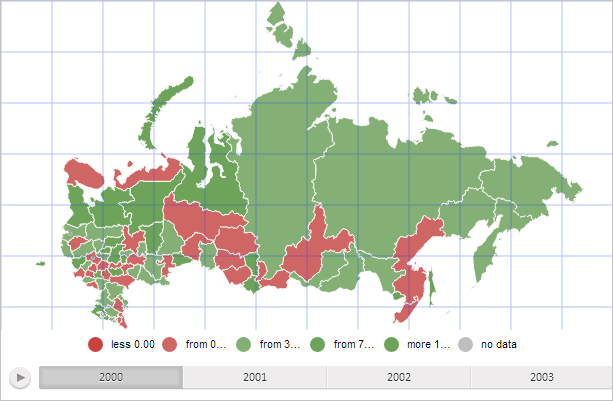
To execute the example the HTML page must contain the MapChart component named map (see Example of Creating the MapChart Component). Create a grid with the transparency 30% and add it to the map:
var mapGrid = new PP.MapGrid({
    Chart: map,
    Color: PP.Color.getColor("#0033FF"), // Line color
    Width: map.getWidth(), // Grid width
    Height: map.getHeight(), // Grid height
    Thickness: 1, // Grid lines width
    VerticalLinesStep: 50, // Distance between vertical lines
    HorizontalLinesStep: 50, // Distance between horizontal lines
    // Draw the grid by pixels
    HorizontalLinesStepType: PP.MapGridStepType.Pixels,
    VerticalLinesStepType: PP.MapGridStepType.Pixels
});
// Draw the grid
mapGrid.draw();
// Set grid for the map
map.setMapGrid(mapGrid);
// Get map grid layer
var mapGridLayer = map.getMapGridLayer();
// Set grid transparency to 30%
mapGridLayer.style.opacity = 0.3;
After executing the example a grid is added to the map. Grid lines are blue with the width equal to one pixel and transparency set to 30%. The distance between horizontal and vertical grid lines is 50 pixels:
See also: