Anchors;
The Anchors property determines position of the component placed within container.
The property returns an array of objects of the AnchorStyles type.
The property is relevant only for controls placed within the components that inherit from the PP.Ui.Container class.
To execute the example the HTML page must contain links to the PP.css, PP.js and jquery.js files. Add the Panel component that contains a pressed button on the page, create a border for the panel:
      //Create the Panel component
     var panel = new PP.Ui.Panel({
        Width: 200,
        Height: 200,
        ParentNode: document.body
     });
      //Add a border for the panel
     panel.addClass("newBorder");
     $("div.newBorder").css("border", "1px solid blue");
      //Create a button placed at the top right corner of the panel
     but = new PP.Ui.ToolBarButton({
        Content: "Button",
        Anchors: ["Top", "Right"],
        IsToggleButton: true
     });
      //Add a button to the panel
     panel.add(but);
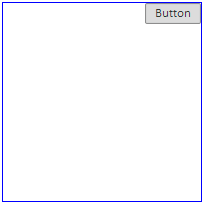
A panel that contains a button in the top right corner is placed in the page:
Resize the panel and change button position:
 //Set a JSON object with panel sizes in the Tag property
 but.getParent().setTag({
     Width: 250,
     Height: 250
 });
 //Set panel sizes
 but.getParent().setSettings(but.getParent().getTag());
 //return JSON object with button current position
 flags = but.getAnchorFlags();
 flags.Bottom = true;
 flags.Top = false;
 //Update button position
 but.updatePosition();
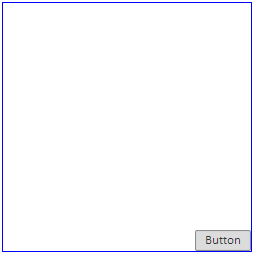
After executing the example the panel looks as follows:
See also: