Tool interfaces in the web application and in the desktop application are identical, and differences in functionality are given in appropiate commments.
The Analytical Queries (OLAP) tool allows for searching data sources by name.
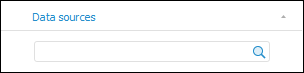
To search data sources, use the search string located in the upper part of the Data Sources tab.:
To search, enter the name or part of the name of the searched data source in the search field.
Search is executed automatically as the searched text is entered into the search string. The  button for resetting search results is displayed in the search string.
If data sources satisfying search conditions are not found, the corresponding message appears.
If data sources are found, The first data source that satisfies appropriate search conditions is selected in the tree of data sources. To navigate to the next source that meets search conditions, press the ENTER key.
The data source chosen in search results will be set as a data source of the express report.
See also: