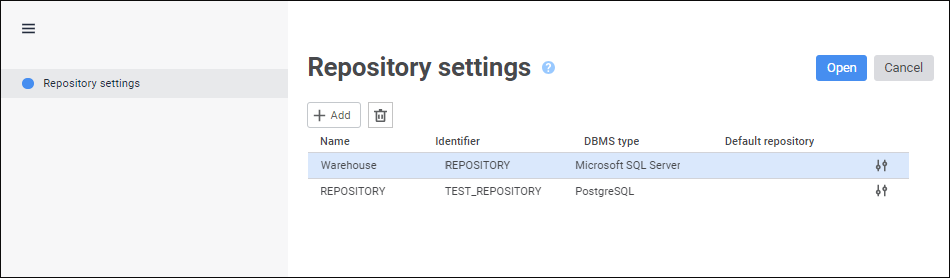
Foresight Analytics Platform allows for working with several repositories at the same time and allows for storing connection parameters to them. Repository parameters are set up before getting started with the repository:
From the Metabases.xml file.
In the login dialog box Using the repository setup wizard.
To create a list of repositories, click the Setting button in the login dialog box.
IMPORTANT. The Settings button is hidden by default for security reasons. Use the Metabases.xml file to create a list of repositories.
After executing the operation the Repository Settings page opens in the repository setup wizard:
Operations with the list of repositories:
NOTE. In Windows OS, the list of repositories is saved in the operating system registry. The operating system user who works with the list of repositories must have permissions to make changes in the registry.
See also:
Creating and Managing Metadata Repositories | Setting Up Repository Connection | Setting Up Repositories List

 Add a repository
 Add button. The
  Edit button.
 Remove button. After executing the operations the repository is removed from the list of repositories.