When the attribute-based access control method is used, add attributes for object types for further access control of users to the objects of the specified type in the attribute-based access control policy structure.
NOTE. When roles are separated, the Attributes tab will be available only to the information security administrator with the Changing User Permissions, Distributing Roles, Changing Policy and the Changing Security Label and Access Control List of Any Object privileges.
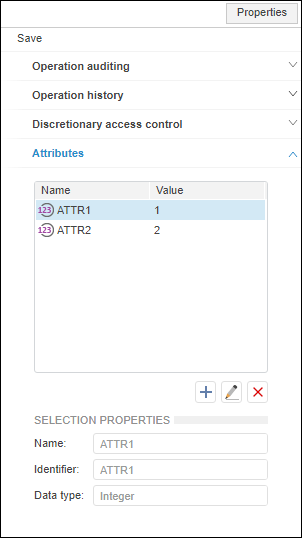
To add or edit the added attributes for a specific object type, use the Attributes tab on the Properties side panel:
The table includes all attributes of a particular object type with the defined properties.
Use the specified attribute values to check access to particular object types in properties of attribute-based access elements: objective, condition.
See also:
Setting Up User Action Auditing | Setting Up Attribute-Based Access Control Method

 Add an attribute
 Add button.
 Edit button.
 Delete button.